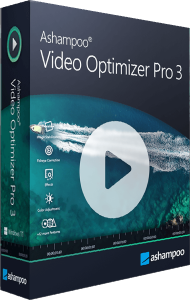



Enhance and edit footage with Video Optimizer Pro 3
Ashampoo Video Optimizer Pro 3 combines video enhancement with practical editing tools. Improve color and contrast, reduce camera shake, trim unwanted material, and assemble clips before exporting a finished video.
Use it to prepare handheld travel footage, adjust action-camera recordings, or give older clips a more consistent appearance. Begin with a representative section, compare the preview, and apply the adjustments that suit the source.
Adjust color, exposure, and white balance
Fine-tune brightness, contrast, white balance, shadows, and highlights to balance the image. The 20 supplied presets offer starting points for different looks, while custom presets let you reuse your own settings.
A preset can help establish a style, but clips recorded under different lighting may need individual correction. Check skin tones and bright areas before applying the same look across an entire collection.
Stabilize shaky clips and correct lens distortion
Stabilization reduces unwanted movement in footage from phones, digital cameras, and action cameras. Lens correction uses camera profiles to address wide-angle distortion; custom profiles provide another option when a suitable profile is unavailable.
Inspect the edges of the corrected image as well as its center. Stabilization and distortion correction can change framing, so leave enough room around important subjects and review the result before exporting.
Reduce noise and flicker
Noise reduction, sharpening, and deflickering target common problems in low-light or unevenly lit footage. Adjust their strength to improve the image without making fine detail look unnatural.
These tools work with the information already recorded. They cannot recreate missing detail from a severely blurred or underexposed source. Compare moving scenes as well as still frames to judge the result.
Trim, rotate, crop, and combine videos
Keep useful sections, remove unwanted portions, and rotate or crop footage. Combine clips and images into one video, or export selected sections separately when you need individual highlights.
Check the sequence and framing after rearranging material. For a vacation recording, this might mean removing pauses, straightening a horizon, and putting the remaining clips into the order you want to share.
Change playback speed and add visual elements
Slow-motion and time-lapse effects change how a scene unfolds. Text and image overlays add captions or explanations, while color filters and tilt-shift provide creative styling options.
Use speed changes where they help viewers follow the action. Keep captions readable and make sure added graphics do not cover the main subject.
Process multiple clips and prepare the export
Batch processing helps apply repeated adjustments to several videos. Format and resolution support includes H.265 and 4K footage, and the metadata editor lets you add information such as a title or author.
Choose output settings for the intended use and check a short export before processing a large collection. Keep source files so you can make a different version later without repeatedly editing an already compressed export.
Video Optimizer Pro 3 vs version 2
Compared with Video Optimizer Pro 2, version 3 brings the previous Quick and Advanced modes into a redesigned interface. Presets and files are easier to access, and export commands adapt to the selected material.
Improved frame navigation, preview controls, and management of global and section settings support more precise editing. Updated memory handling and stability improvements also refine the workflow.
Video Optimizer Pro 3 purchase options
Review the product and license details in the standard purchase section before continuing to checkout.