Software guides
Software Solutions: Backup, Recovery and Disk Guides
Find a guide for the task you need to complete, from protecting a few documents to recovering a whole computer.
Start with your task
Back up personal files
Set up a separate copy on Windows or Mac and test restoring a document.
Choose backup software
Compare file versions, disk images, destinations and recovery workflows.
Move to an SSD
Identify disks, prepare a clone and verify independent startup.
Create a disk image
Understand backup chains and prepare a usable recovery image.
Recover a whole system
Plan recovery media, credentials and restoration checks.
Plan cloud backup
Check coverage, retention and recovery without the original computer.
Restore lost files
Choose between backup restoration and local file recovery.
Manage partitions
Prepare for resizing, migration and other disk operations.
Product comparisons
- Ashampoo Photo Organizer Pro 26 vs Ashampoo Photo Commander Pro 27
- Ashampoo Photo Organizer Pro 26 vs Nero AI Photo Tagger 2026
- Ashampoo Photo Organizer Pro 26 vs Corel AfterShot Pro 3
- Ashampoo Photo Organizer Pro 26 vs CyberLink PhotoDirector 2026
- Ashampoo Photo Organizer Pro 26 vs Nero DuplicateManager Photo
- Ashampoo Backup Pro 27 vs EaseUS Todo Backup Home 2026
- Ashampoo Backup Pro 27 vs Macrium Reflect X Home
- Ashampoo Backup Pro 27 vs O&O DiskImage 23
- Ashampoo Backup Pro 27 vs Acronis True Image 2026
- Ashampoo Backup Pro 27 vs Laplink DiskImage
- Ashampoo Backup Pro 27 vs Ashampoo Backup Pro 26
- Ashampoo File Renamer vs Ashampoo Photo Converter 3
- Ashampoo Photo Collage vs Ashampoo Photo Commander Pro 27
- Ashampoo Photo Collage vs Corel PaintShop Pro 2023
- Ashampoo Photo Collage vs CyberLink PhotoDirector 2026 Ultra
- iolo System Mechanic Ultimate Defense vs Avira Prime
- iolo System Mechanic Ultimate Defense vs AVG Ultimate
- iolo System Mechanic Ultimate Defense vs Avast Ultimate
- iolo System Mechanic Ultimate Defense vs Kaspersky Premium
- iolo System Mechanic Ultimate Defense vs Bitdefender Premium Security
- iolo System Mechanic Ultimate Defense vs IObit Advanced SystemCare Ultimate
- iolo System Mechanic Professional vs IObit Advanced SystemCare Ultimate
- iolo System Mechanic Professional vs AVG Ultimate
- iolo System Mechanic Professional vs Avast Ultimate
- iolo System Mechanic Professional vs Auslogics Essential Tools
- iolo System Mechanic Professional vs Avira Prime
- iolo System Mechanic vs IObit Advanced SystemCare Pro
- iolo System Mechanic vs AVG TuneUp
- iolo System Mechanic vs CCleaner Professional
- iolo System Mechanic vs Auslogics BoostSpeed
- iolo System Mechanic vs Nero TuneItUp PRO 2026
- iolo System Mechanic vs Professional vs Ultimate Defense
- iolo Search and Recover vs Auslogics File Recovery
- iolo Search and Recover vs O&O DiskRecovery 14
- iolo Search and Recover vs EaseUS Data Recovery Wizard 20
- iolo Search and Recover vs Ashampoo Undeleter
- iolo Search and Recover vs Ashampoo Photo Recovery 3
- iolo System Shield vs VIPRE Antivirus Plus
- iolo System Shield vs Bitdefender Antivirus Plus
- iolo System Shield vs G DATA Antivirus for Windows
- iolo System Shield vs Kaspersky Standard
- iolo System Shield vs IObit Malware Fighter Pro
- iolo System Shield vs iolo Malware Killer
- iolo Malware Killer vs HitmanPro
- iolo Malware Killer vs Auslogics Anti-Malware
- iolo Malware Killer vs Malwarebytes for Windows
- iolo Malware Killer vs IObit Malware Fighter Pro
- iolo Malware Killer vs HitmanPro.Alert
- iolo Privacy Guardian vs VIPRE Privacy Shield
- iolo Privacy Guardian vs Ashampoo Privacy Inspector 2
- iolo Privacy Guardian vs Ashampoo AntiSpy Pro
- iolo Privacy Guardian vs CCleaner Professional
- iolo Privacy Guardian vs IObit Advanced SystemCare Pro
- iolo Privacy Guardian vs ioloVPN
- iolo Updater vs CCleaner Professional
- iolo Updater vs Nero TuneItUp PRO
- iolo Updater vs IObit Software Updater
- iolo Updater vs Ashampoo Driver Updater
- iolo Updater vs IObit Driver Booster Pro
- iolo Updater vs Auslogics Driver Updater
- ioloVPN vs Avira Phantom VPN Pro
- ioloVPN vs Bitdefender Premium VPN
- ioloVPN vs F-Secure VPN
- ioloVPN vs VIPRE Internet Shield VPN
- ioloVPN vs Panda Dome VPN
- ioloVPN vs G DATA VPN
- Laplink PCmover Image & Drive Assistant vs EaseUS Todo PCTrans
- Laplink PCmover Image & Drive Assistant vs Laplink DiskImage
- Laplink PCmover Image & Drive Assistant vs EaseUS Disk Copy
- Laplink PCmover Image & Drive Assistant vs O&O Migration Kit
- Laplink Sync vs O&O AutoBackup 8
- Laplink Sync vs Laplink PCmover Express
- Laplink Sync vs Laplink DiskImage
- Laplink PCmover Home vs EaseUS Todo PCTrans
- Laplink PCmover Home vs O&O Migration Kit
- Laplink PCmover Home vs Laplink DiskImage
- iolo DriveScrubber vs O&O SafeErase 21
- iolo DriveScrubber vs CCleaner Professional
- iolo DriveScrubber vs O&O FileErase
- Laplink SafeErase vs iolo DriveScrubber
- Laplink SafeErase vs O&O SafeErase 21
- Laplink SafeErase vs CCleaner Professional
- Laplink SafeErase vs O&O FileErase
- Laplink DiskImage vs O&O DiskImage 23
- Laplink DiskImage vs Macrium Reflect X Home
- Laplink DiskImage vs EaseUS Todo Backup Home 2026
- Laplink DiskImage vs Acronis True Image 2026
- Laplink DiskImage vs Ashampoo Backup Pro 26
- CyberLink PhotoDirector 2026 vs Corel PaintShop Pro 2023
- CyberLink PhotoDirector 2026 vs Ashampoo Photo Commander Pro 27
- CyberLink PhotoDirector 2026 vs Corel AfterShot Pro 3
- CyberLink PhotoDirector 2026 vs Ashampoo Photo Optimizer Pro 26
- CyberLink PowerDirector 2026 vs Nero Video 2026
- CyberLink PowerDirector 2026 vs Pinnacle Studio 26 Ultimate
- CyberLink PowerDirector 2026 vs Corel VideoStudio Ultimate 2023
- CyberLink PowerDirector 2026 vs Ashampoo Movie Studio Pro 3
- CyberLink PowerDirector 2026 vs EaseUS Video Editor
- CyberLink PowerDVD 24 vs Nero MediaHome 2026
- Ashampoo 3D CAD Architecture 14 vs Ashampoo 3D CAD Professional 14
- Ashampoo 3D CAD Architecture 14 vs Ashampoo Home Design 10
- Ashampoo 3D CAD Architecture 14 vs Ashampoo 3D CAD Architecture 12
- Ashampoo 3D CAD Architecture 14 vs Ashampoo 3D CAD Professional 12
- Ashampoo 3D CAD Architecture 14 vs CorelCAD 2023
- Ashampoo Burning Studio 27 vs Nero Burning ROM 2026
- Ashampoo Burning Studio 27 vs Roxio Creator NXT 9
- Ashampoo Burning Studio 27 vs Nero Platinum Suite 2026
- Ashampoo Burning Studio 27 vs Ashampoo Burning Studio 26
- Ashampoo Driver Updater vs IObit Driver Booster Pro
- Ashampoo Driver Updater vs Auslogics Driver Updater
- Ashampoo Driver Updater vs AVG Driver Updater
- Ashampoo WinOptimizer Pro 29 vs IObit Advanced SystemCare Pro
- Ashampoo WinOptimizer Pro 29 vs AVG TuneUp
- Ashampoo WinOptimizer Pro 29 vs iolo System Mechanic
- Ashampoo WinOptimizer Pro 29 vs Ashampoo WinOptimizer 28
- Ashampoo WinOptimizer Pro 29 vs Ashampoo UnInstaller Pro 27
- Ashampoo UnInstaller Pro 27 vs IObit Uninstaller Pro
- Ashampoo UnInstaller Pro 27 vs Ashampoo UnInstaller 16
- Ashampoo UnInstaller Pro 27 vs Revo Uninstaller Pro 5
- Ashampoo PDF Pro 5 vs EaseUS PDF Editor
- Ashampoo PDF Pro 5 vs Ashampoo PDF Pro 4
- Ashampoo PDF Pro 5 vs Corel PDF Fusion
- Kaspersky Standard vs Plus vs Premium
- Kaspersky Standard vs Bitdefender Internet Security
- Kaspersky Plus vs Bitdefender Premium Security
- Kaspersky Premium vs Bitdefender Premium Security
- Macrium Reflect X Home vs Acronis True Image 2026 - Compare imaging and recovery workflows.
- Macrium Reflect X Home vs O&O DiskImage 23 - Compare imaging and recovery workflows.
- Acronis True Image 2026 vs EaseUS Todo Backup Home 2026 - Compare backup and recovery workflows.
- Acronis True Image 2026 vs O&O DiskImage 23 - Compare backup and recovery workflows.
- CorelDRAW Technical Suite 2026 vs Graphics Suite 2026 - Compare graphic design and technical illustration workflows.
- EaseUS PDF Editor vs Ashampoo PDF Pro 4 - Compare editing, OCR and document-review workflows.
- O&O Migration Kit vs EaseUS Todo PCTrans - Compare PC transfer and complete migration preparation.
- O&O DiskRecovery 14 vs EaseUS Data Recovery Wizard 20 - Compare lost-file search and recovery workflows.
- O&O DiskRecovery 14 vs Auslogics File Recovery - Compare lost-file search and recovery workflows.
- EaseUS Todo Backup Home vs Ashampoo Backup Pro 26
- O&O DiskImage 23 vs EaseUS Todo Backup Home - Compare system images, cloning and recovery workflows.
- O&O CleverCache 7 vs Ashampoo WinOptimizer 28 - Historical cache management and broader Windows maintenance.
- O&O Defrag 32 vs IObit Smart Defrag Pro - Compare drive types, maintenance controls and edition scope.
- O&O Defrag 32 vs Auslogics Disk Defrag - Compare drive types, maintenance controls and edition scope.
- O&O AutoBackup 8 vs Ashampoo Backup Pro 26 - Compare file synchronization, automatic backups and system recovery.
How these guides are maintained
Guides are edited by the Find Your Software editorial team and link to related guides and software in our catalog. Catalog links identify the edition listed on this site; they do not assert that it is the latest vendor release.
Start with your recovery task, verify the documentation for your exact edition and test a small restore before relying on a backup.
Related products
Explore backup, disk-management and security editions from the catalog.
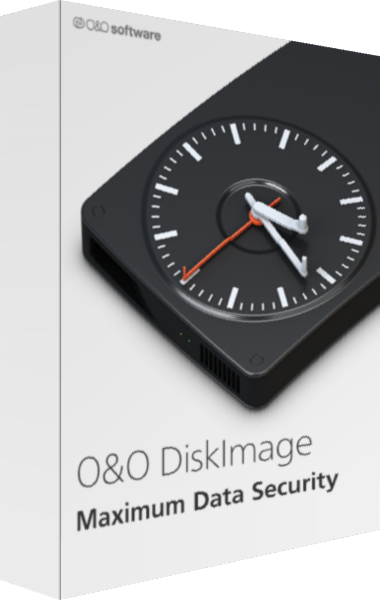
O&O DiskImage
Create system images and file backups with scheduled chains and recovery tools.
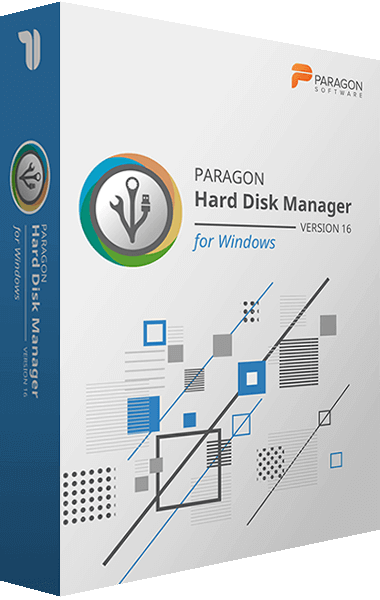
Paragon Hard Disk Manager
Manage partitions, migrate systems, and protect data with Hard Disk Manager backup and recovery tools.
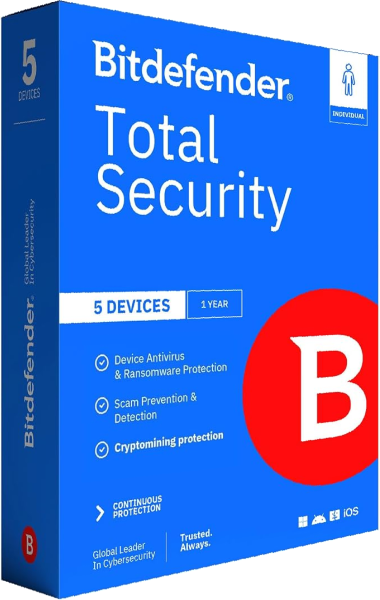
Bitdefender Total Security
Protect devices and manage everyday online privacy with a security suite.
Historical product archive
The following pages describe older releases. Their features and service terms should not be treated as current offers.
- Acronis True Image 2013
- Acronis True Image 2013 Family Pack
- Acronis True Image 2014
- Acronis True Image 2015
- Acronis True Image 2013 vs 2012
- Acronis True Image 2013 File Synchronization
- Acronis Disk Director 11 Home vs Advanced Workstation
- Paragon Hard Disk Manager 12
- O&O DiskImage 7 Professional
- R-Drive Image 5.1
- Bitdefender Antivirus Free Edition