Product comparison
iolo System Mechanic Professional vs AVG Ultimate
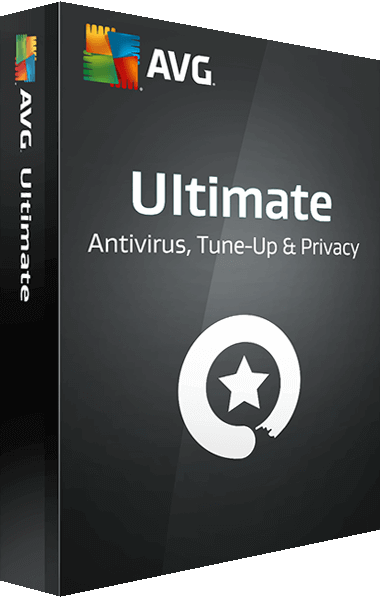
These packages overlap in protection and Windows maintenance but include different additional tools. Professional combines System Mechanic with antivirus, malware-removal and data utilities. The current AVG Ultimate offer groups Internet Security, TuneUp, Secure VPN and AntiTrack. Compare Windows functions and the actual subscription rather than transferring every feature between platforms.
Compare included tools
| Task | iolo System Mechanic Professional | AVG Ultimate |
|---|---|---|
| Protection | System Shield real-time antivirus and antispyware | AVG Internet Security |
| Maintenance | System Mechanic cleanup, ActiveCare and LiveBoost | AVG TuneUp cleanup and performance tools |
| Malware investigation | Separate Malware Killer on-demand scans | Malware scans within the security application |
| Privacy services | Maintenance includes local browsing-data cleanup; ioloVPN is separate | Secure VPN and AntiTrack in the current Ultimate offer |
| Data tasks | Search and Recover for deleted files; DriveScrubber for drive erasure | Do not assume matching recovery and erasure components from the Ultimate name |
| Activation scope | Check Professional activation and enabled components | Check entitlement, installation and platform availability for each bundled application |
Which workflow fits?
Consider Professional for maintenance and data utilities
iolo System Mechanic Professional brings cleanup and protection together with Search and Recover and DriveScrubber. Recovery depends on surviving data and needs another drive for output. Drive erasure is a separate operation that requires preserving everything you intend to keep.
Consider AVG Ultimate for its security, maintenance and privacy bundle
AVG Ultimate currently combines Internet Security, TuneUp, Secure VPN and AntiTrack. Review which components are activated and available on the Windows device. A multi-device subscription does not imply identical tools or settings on every supported platform.
Local browser cleanup, anti-tracking controls and a VPN address different tasks. Clearing cookies changes local data; a VPN changes how traffic travels through the network. Neither operation establishes that a download or request for account information is trustworthy. Keep the security application and privacy-service status checks separate.
Edition scope and practical checks
The comparison covers Windows use of the current unnumbered catalog products. Existing subscriptions, regional offers and platform coverage can differ. Verify the account entitlement for the four AVG components rather than relying on an older bundle description.
- Confirm the selected offer, device allowance and Windows components available to the account.
- Activate the intended antivirus and maintenance tools, then inspect updates and automatic-care settings.
- Check the VPN and anti-tracking status separately from antivirus and browser cleanup.
- Test applications, retained site sessions and any recovery workflow before relying on recurring tasks.
We have not benchmarked protection effectiveness, cleanup accuracy or performance on identical PCs. Feature coverage is not a detection-rate ranking. Keep independent recovery copies: malware removal and deleted-file searches cannot guarantee restoration of lost or overwritten data.
Compared products
Review the selected catalog products and the components enabled by the actual subscription.

iolo System Mechanic Professional
Maintain Windows and manage antivirus protection, on-demand malware scans, deleted-file recovery and drive erasure.
Explore more
- iolo System Mechanic Ultimate Defense vs AVG Ultimate
- iolo System Mechanic Professional vs IObit Advanced SystemCare Ultimate
- iolo System Mechanic Professional vs Avast Ultimate
- iolo System Mechanic Professional vs Auslogics Essential Tools
- iolo System Mechanic Professional vs Avira Prime
- iolo System Mechanic vs Professional vs Ultimate Defense
- iolo System Mechanic vs AVG TuneUp
- Explore PC optimization software
- Prepare independent file backups