Product comparison
iolo System Mechanic Professional vs IObit Advanced SystemCare Ultimate
Both packages combine Windows maintenance with real-time antivirus protection. System Mechanic Professional also includes a separate on-demand malware scanner, deleted-file recovery and drive erasure. Advanced SystemCare Ultimate combines SystemCare maintenance with integrated antivirus and protected-file controls. Compare the components needed for each task, rather than treating every security or cleanup function as equivalent.
Compare included tools
| Task | iolo System Mechanic Professional | IObit Advanced SystemCare Ultimate |
|---|---|---|
| Windows maintenance | Cleanup, startup controls, ActiveCare and LiveBoost | Cleanup, startup and background-activity controls with automatic care |
| Real-time antivirus | System Shield antivirus and antispyware | Integrated antivirus using Bitdefender technology and IObit features |
| Additional malware checks | Malware Killer for on-demand investigation and removal | Quick, full and custom antivirus scans |
| Sensitive files | Review enabled protection and maintain independent recovery copies | Anti-ransomware and protected-folder settings, including Safe Folder |
| Recovery and erasure | Search and Recover and DriveScrubber are included | Do not infer an equivalent recovery or full-drive erasure component from the maintenance toolbox |
| Separate products | Professional does not automatically include ioloVPN or iolo Updater | Driver Booster Pro, Smart Defrag Pro and Malware Fighter Pro require separate entitlements |
Which workflow fits?
Consider Professional for protection and data tasks
iolo System Mechanic Professional combines maintenance with System Shield, Malware Killer, Search and Recover and DriveScrubber. Choose the relevant component: checking a suspicious file, recovering an accidentally deleted document and erasing a drive require different workflows.
Consider Advanced SystemCare Ultimate for integrated antivirus and care
IObit Advanced SystemCare Ultimate adds integrated antivirus to SystemCare maintenance. Review database status, scan scope and protected-file settings separately from cleanup findings. A protected folder is a preventive control, while a recovered file is a copy retrieved after a loss.
Inspect the active antivirus configuration after installation. IObit's compatibility mode can omit its real-time protection drivers when another antivirus is detected, so the installed product name alone does not establish which service protects the PC. Follow the relevant installation guidance when changing protection.
Edition scope and practical checks
Both catalog entries are unnumbered. Check the installed build, activated edition and component availability. Toolbox shortcuts to other IObit products do not grant their Pro licenses, and Professional is different from System Mechanic Ultimate Defense.
- List the maintenance, antivirus, recovery or erasure tasks you need before comparing the packages.
- Follow antivirus migration guidance and confirm the intended real-time service and database updates.
- Review cleanup categories and any protected-folder rules before enabling automatic actions.
- Test ordinary applications and verify recovery output on another drive; preserve needed data before erasure.
We have not benchmarked protection effectiveness, cleanup accuracy or performance on identical PCs. Feature coverage is not a detection-rate ranking. Keep independent recovery copies: malware removal and deleted-file searches cannot guarantee restoration of lost or overwritten data.
Compared products
Review the selected catalog products and the components enabled by the actual subscription.
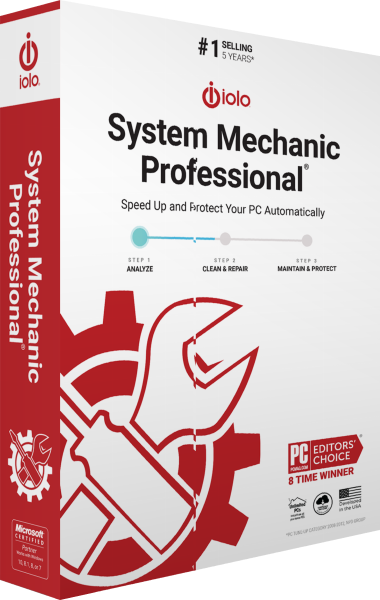
iolo System Mechanic Professional
Maintain Windows and manage antivirus protection, on-demand malware scans, deleted-file recovery and drive erasure.
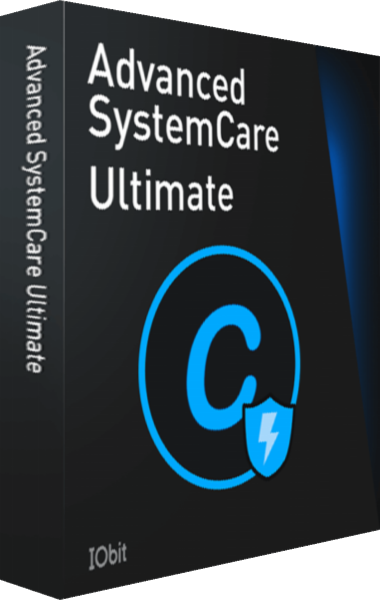
IObit Advanced SystemCare Ultimate
Combine real-time antivirus protection with Windows cleanup and optimization.
Explore more
- iolo System Mechanic Ultimate Defense vs IObit Advanced SystemCare Ultimate
- iolo System Mechanic Professional vs AVG Ultimate
- iolo System Mechanic Professional vs Avast Ultimate
- iolo System Mechanic Professional vs Auslogics Essential Tools
- iolo System Mechanic Professional vs Avira Prime
- iolo System Mechanic vs Professional vs Ultimate Defense
- iolo System Mechanic vs IObit Advanced SystemCare Pro
- Explore PC optimization software
- Prepare independent file backups