Product comparison
iolo System Mechanic Professional vs Auslogics Essential Tools
These packages organize different sets of Windows utilities. Professional includes maintenance, real-time antivirus, on-demand malware scans, deleted-file recovery and drive erasure. Essential Tools bundles BoostSpeed, Anti-Malware, Driver Updater and Disk Defrag Ultimate. Compare the task covered by each application, especially the difference between ongoing antivirus protection and an additional malware scan.
Compare included tools
| Task | iolo System Mechanic Professional | Auslogics Essential Tools |
|---|---|---|
| PC maintenance | System Mechanic cleanup, ActiveCare and resource controls | BoostSpeed cleanup and system optimization |
| Ongoing protection | System Shield real-time antivirus and antispyware | Do not treat the included Anti-Malware scanner as an equivalent real-time antivirus service |
| Malware checks | Malware Killer on-demand investigation and removal | Anti-Malware scanning and removal |
| Driver maintenance | Separate iolo Updater entitlement must be checked | Driver Updater is one of the four bundled applications |
| Drive tasks | LiveBoost resource controls; DriveScrubber performs erasure | Disk Defrag Ultimate provides drive optimization and scheduling |
| Deleted files | Search and Recover is included | File Recovery is a separate Auslogics product, outside the four named bundle applications |
Which workflow fits?
Consider Professional for antivirus and data utilities
iolo System Mechanic Professional covers an ongoing antivirus role through System Shield and an additional investigation through Malware Killer. Search and Recover and DriveScrubber add file-recovery and erasure workflows. Review the correct component before treating an action as general maintenance.
Consider Essential Tools for a set of separate maintenance applications
Auslogics Essential Tools combines BoostSpeed, Anti-Malware, Driver Updater and Disk Defrag Ultimate. The bundle offers driver and drive-maintenance tasks alongside cleanup and malware scanning, with separate applications to configure and check.
Anti-Malware is presented as an additional security layer for scanning and removal. Confirm an appropriate ongoing antivirus arrangement instead of assuming the bundle duplicates System Shield's role. Disk optimization and full-drive erasure also have different intended results; they are not interchangeable storage tasks.
Edition scope and practical checks
The Essential Tools card selects the four-application bundle, not every Auslogics product. Check included editions, device coverage and application-specific controls. Professional and the separate iolo Updater likewise have different entitlements.
- Map each maintenance, protection or storage task to the application that actually performs it.
- Confirm ongoing antivirus status separately from an additional Anti-Malware or Malware Killer scan.
- Review driver recovery options and the drive type before applying device or storage changes.
- Test one meaningful change at a time and preserve independent copies before substantial maintenance or erasure.
We have not benchmarked protection effectiveness, cleanup accuracy or performance on identical PCs. Feature coverage is not a detection-rate ranking. Keep independent recovery copies: malware removal and deleted-file searches cannot guarantee restoration of lost or overwritten data.
Compared products
Review the selected catalog products and the components enabled by the actual subscription.
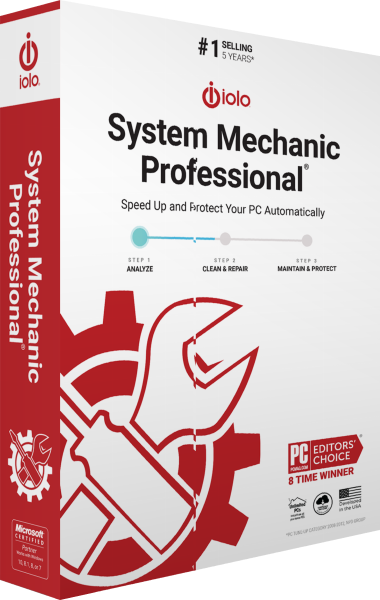
iolo System Mechanic Professional
Maintain Windows and manage antivirus protection, on-demand malware scans, deleted-file recovery and drive erasure.
Auslogics Essential Tools
Combine PC cleanup, malware scanning, driver updates, and drive optimization.
Explore more
- iolo System Mechanic Professional vs IObit Advanced SystemCare Ultimate
- iolo System Mechanic Professional vs AVG Ultimate
- iolo System Mechanic Professional vs Avast Ultimate
- iolo System Mechanic Professional vs Avira Prime
- iolo System Mechanic vs Professional vs Ultimate Defense
- iolo System Mechanic vs Auslogics BoostSpeed
- Explore PC optimization software
- Prepare independent file backups