

Combine PC maintenance with antivirus and data tools
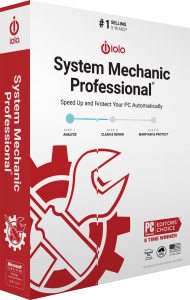
iolo System Mechanic Professional, also called System Mechanic Pro, combines Windows cleanup and performance maintenance with malware protection, deleted-file recovery and drive erasure.
It suits users who need maintenance and security controls in the same package. Choose the relevant tool for each task: clearing unnecessary files, investigating a threat, recovering lost data and preparing storage for handover require different actions.
Configure automatic maintenance around your work
Smart ActiveCare automates maintenance scans and repairs while the computer is idle. Cleanup tools address unnecessary files, while LiveBoost manages system resources and NetBooster provides Internet-connection tuning controls.
Review the proposed changes and automatic settings before relying on a routine. Keep the startup applications and background functions you need, then check results with your normal workload. Performance improvements depend on the computer and its existing configuration.
Separate ongoing antivirus from on-demand malware scans
System Shield provides real-time antivirus and antispyware protection. Malware Killer handles on-demand detection and removal of infections already present.
Confirm the active protection status after installation and review alerts and scan findings. A completed scan or an installed component does not establish protection against every possible threat.
Search for accidentally deleted files
Search and Recover searches readable storage for deleted documents, photos and other supported files. Recovery depends on data that remains available after deletion.
Minimize new writes to the affected source and save recovered copies to another drive. Check their contents before treating the recovery as complete; overwritten data cannot be restored merely by choosing a more extensive scan.
Erase storage deliberately with DriveScrubber
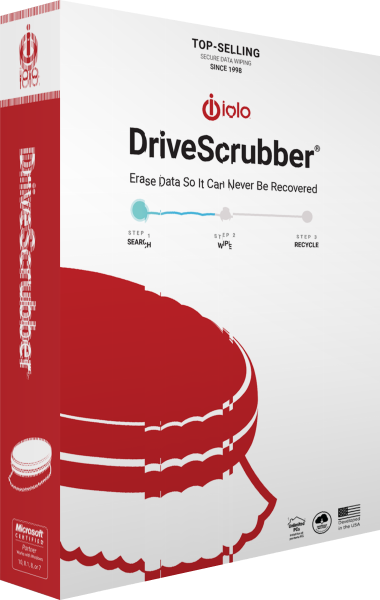
DriveScrubber provides drive-erasure workflows for storage reuse, sale or handover. This operation removes data, so it serves a different purpose from recovering deleted files or cleaning temporary files.
Confirm the target and preserve needed information independently before starting. A full system-drive wipe also removes Windows and installed applications; plan the next installation or recovery step if the computer will be used again.
Activate Professional and review the enabled components
Complete the installer with your email address and Professional activation key. Open Product Information through the key icon to review the activated edition and subscription details.
The application may use the shorter System Mechanic name during setup. Confirm the activated product rather than inferring your edition from a window title, and check the available component controls before following instructions for a different release.
Compare Professional with Ultimate Defense
System Mechanic Ultimate Defense adds Privacy Guardian's dedicated browser privacy controls and ByePass+ password management. Those tools extend beyond the browsing-history cleanup available within general maintenance.
Choose around the functions you intend to use. For other maintenance packages, browse our PC optimization software catalog. Keep a separate file backup workflow alongside either edition.
Compare System Mechanic editions
Review maintenance, protection, recovery, privacy and password tools in our iolo System Mechanic vs Professional vs Ultimate Defense comparison.
Compare maintenance and protection packages
Explore internet-security suites for related catalog products and workflows.