
Search for accidentally deleted files
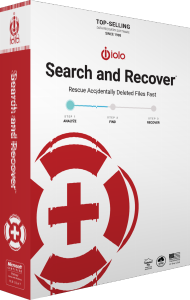
iolo Search and Recover is a Windows file-recovery tool for locating deleted documents, photos, music, videos and other supported data. It searches storage for surviving file contents so you can attempt recovery after an accidental deletion.
Begin by identifying the drive or removable medium where the files were stored. Reduce further use of that source: new downloads, installations and saved files can overwrite the data you want to recover.
Choose where and what to search
Search by Location and Custom Search let you select folders, drives and removable media. You can narrow the search by file type, such as pictures, music or documents, instead of starting with every possible item.
The documented media coverage includes hard drives, USB flash drives, memory cards and readable camera storage. Select the actual source containing the lost data rather than a different device with a similar name.
Understand SmartScan and StrongScan
SmartScan reduces irrelevant items in the search to help you find useful results. StrongScan performs a sector-level search for deleted data that a simpler search may miss.
These methods address different parts of the search process. A more extensive search can take longer and still cannot reconstruct file contents that are no longer present. Review the selected scope and the resulting files rather than relying on a scan name alone.
Save recovered files to a different drive
Choose a separate destination before saving recovered data. Writing files back to the source can overwrite other deleted items that have not yet been recovered.
Open the recovered copies and check their contents before considering the task complete. A familiar filename or a listed search result does not establish that a document, photo or video is intact.
Assess recovery limits after deletion or formatting
A deleted file may remain recoverable until its storage space is reused, but there is no fixed recovery window. Formatting, subsequent writes and the condition of the medium affect what remains available to search.
Search and Recover is not a guarantee of recovery from every formatted or damaged device. The software needs access to readable data; it cannot recreate overwritten contents or repair physical hardware damage.
Recognize the installer and activated product
Search and Recover uses the System Mechanic Ultimate Defense installation framework. The installer can initially display the suite name; entering a Search and Recover activation key enables the corresponding product.
The shared installation framework does not grant every suite component. Check the activated tools and avoid installing onto the affected source drive while trying to preserve deleted data.
Compare recovery tools and prepare future backups
- iolo Search and Recover vs Auslogics File Recovery
- iolo Search and Recover vs O&O DiskRecovery 14
- iolo Search and Recover vs EaseUS Data Recovery Wizard 20
- iolo Search and Recover vs Ashampoo Undeleter
- iolo Search and Recover vs Ashampoo Photo Recovery 3
Recovery after deletion and restoration from a prepared backup are different operations. Once the recovered files have been checked, preserve an independent copy using a suitable file backup workflow.
Explore data recovery software for related catalog products and workflows.