

Bring Windows maintenance and security tools together
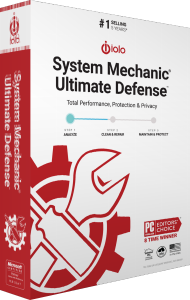
iolo System Mechanic Ultimate Defense combines PC cleanup and performance tools with antivirus protection, malware removal, browser privacy controls, password management, file recovery and drive erasure.
The suite is intended for several maintenance tasks in one installation framework. Its components serve different purposes, so choose the tool around the result you need rather than treating every action as part of a general cleanup.
Review cleanup and automatic maintenance
The System Mechanic component provides cleanup and performance maintenance. ActiveCare lets you configure which issues the application monitors and addresses automatically, while LiveBoost offers controls for managing system resources.
Review proposed changes before enabling a recurring routine. Keep the applications and background functions you rely on available, then check the effect on your normal work. Results vary with the computer and the changes selected.
Distinguish ongoing protection from malware-removal scans
System Shield supplies real-time antivirus and antispyware protection. Malware Killer focuses on on-demand detection and removal of infections already present on a computer.
Check the active protection status after setup and review scan findings before considering an alert resolved. Keeping an antivirus component installed does not by itself confirm that its protection is enabled.
Configure browser privacy and password management
Privacy Guardian provides cookie cleanup, website exclusions and selected privacy controls. Review what will be removed and which site data or saved passwords you intend to retain before scheduling cleanup.
The current password manager is ByePass+. Install its extension in each supported browser you use and complete the account setup with your Ultimate Defense license key. Existing legacy ByePass users should follow the separate data-migration process.
Choose between recovering files and erasing storage
Search and Recover searches for deleted files on readable storage. Save recovered copies to a different drive and check the contents; successful recovery depends on data that still survives.
DriveScrubber performs drive erasure for storage reuse or handover. Confirm the target and preserve needed files separately before wiping. Erasure and file recovery are different operations with opposite intended results.
Activate the suite and finish component setup
Complete the installation with your email address and Ultimate Defense activation key, then review the activated product in Product Information. The key icon provides access to license and subscription details.
Some standalone iolo products use the same installation framework. Seeing the Ultimate Defense installer name is not enough to establish suite access: the activated license determines your entitlement. Browser extensions also require their own installation and account setup.
Compare the suite with the tasks you actually need
Compared with the base System Mechanic maintenance tool, Ultimate Defense adds security, privacy, password management and data tools. Review the included components before choosing the suite or an individual product.
For other packages, browse the internet-security software catalog. Keep a separate file backup workflow: antivirus protection and deleted-file searches do not replace independent copies of important data.
Compare System Mechanic editions
Review maintenance, protection, recovery, privacy and password tools in our iolo System Mechanic vs Professional vs Ultimate Defense comparison.
Compare maintenance, protection and privacy suites
- iolo System Mechanic Ultimate Defense vs Avira Prime
- iolo System Mechanic Ultimate Defense vs AVG Ultimate
- iolo System Mechanic Ultimate Defense vs Avast Ultimate
- iolo System Mechanic Ultimate Defense vs Kaspersky Premium
- iolo System Mechanic Ultimate Defense vs Bitdefender Premium Security
- iolo System Mechanic Ultimate Defense vs IObit Advanced SystemCare Ultimate