Product comparison
iolo System Mechanic Ultimate Defense vs Kaspersky Premium
Ultimate Defense centers on Windows maintenance with additional security, privacy, password and data tools. Kaspersky Premium combines malware protection with VPN, password management and identity-related or support benefits. Compare the Windows functions and regional package rather than treating both suites as the same collection of utilities.
Compare included tools
| Task | iolo System Mechanic Ultimate Defense | Kaspersky Premium |
|---|---|---|
| Malware protection | System Shield real-time protection plus Malware Killer on-demand scans | Antivirus, anti-ransomware and anti-phishing controls |
| Windows maintenance | System Mechanic cleanup, ActiveCare and LiveBoost resource controls | Cleanup and device-maintenance tools with platform-dependent scope |
| Privacy and passwords | Privacy Guardian and ByePass+ | Password Manager with additional privacy and identity-related tools |
| VPN | ioloVPN requires a separate entitlement | Unlimited VPN where the service is available |
| Additional assistance | Review support terms for the selected iolo subscription | Premium Support Services depend on region and package |
| Data-tool focus | Search and Recover for deleted files; DriveScrubber for drive erasure | Identity Protection Wallet and Remote Access Detection on supported platforms are different tasks |
Which workflow fits?
Consider Ultimate Defense for maintenance and specific data tasks
iolo System Mechanic Ultimate Defense combines ActiveCare and resource controls with malware protection, privacy controls and ByePass+. Its named recovery and erasure tools address additional tasks: searching for surviving deleted data is different from storing identity documents or reviewing a remote-access alert.
Consider Kaspersky Premium for its security and service coverage
Kaspersky Premium provides security tools with Password Manager, VPN where available, and region-dependent identity or support features. Inspect the selected package and set up separate services where required. Desktop maintenance and identity functions should not be assumed to apply identically to mobile devices.
Compare support benefits by the assistance actually included, such as installation help or health checks, and verify the scope before authorizing a remote session. A support service, privacy setting or VPN does not replace a checked backup of important files.
Edition scope and practical checks
Both catalog entries are unnumbered. Kaspersky service availability and support benefits depend on the regional offer and platform. Confirm VPN availability, activated applications and support scope separately from the main antivirus installation.
- Match the maintenance, protection, password, identity and data tasks to the selected package.
- Activate the intended antivirus and check available updates and alerts.
- Complete password-manager and VPN setup where applicable, and verify region-dependent services.
- Review proposed maintenance changes and verify independent recovery copies before substantial work.
We have not benchmarked malware detection, cleanup accuracy or performance on identical systems. The comparison describes documented tool coverage. Recovery depends on surviving, readable data; threat removal and privacy controls do not replace independent, tested backups.
Compared products
Review the selected catalog products and the components enabled by the actual subscription.
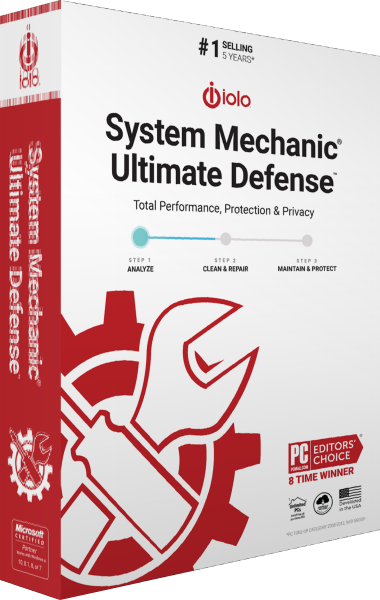
iolo System Mechanic Ultimate Defense
Maintain Windows, protect against malware and manage browser privacy, passwords, file recovery and drive erasure in one suite.
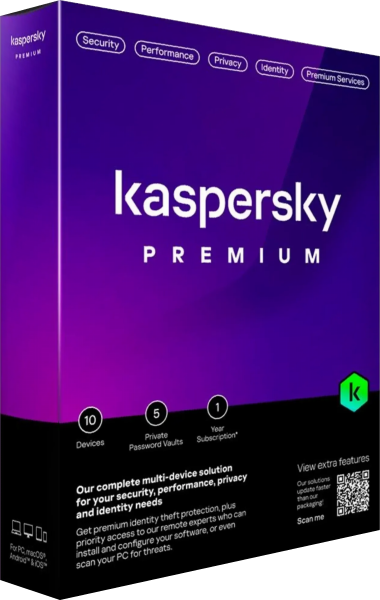
Kaspersky Premium
Combine malware protection, VPN and password management with identity-related tools and additional support services.
Explore more
- iolo System Mechanic Ultimate Defense vs Avira Prime
- iolo System Mechanic Ultimate Defense vs AVG Ultimate
- iolo System Mechanic Ultimate Defense vs Avast Ultimate
- iolo System Mechanic Ultimate Defense vs Bitdefender Premium Security
- iolo System Mechanic Ultimate Defense vs IObit Advanced SystemCare Ultimate
- iolo System Mechanic vs Professional vs Ultimate Defense
- Kaspersky Premium vs Bitdefender Premium Security
- Kaspersky Standard vs Plus vs Premium
- Explore internet security software
- Prepare independent file backups