Product comparison
iolo System Mechanic Ultimate Defense vs Bitdefender Premium Security
Ultimate Defense groups Windows maintenance with malware protection, privacy, password and data tools. Bitdefender Premium Security emphasizes device protection and online privacy, with unlimited VPN traffic and password management in the current offer. Compare the installed Windows controls and selected subscription rather than using the suite names as a feature checklist.
Compare included tools
| Task | iolo System Mechanic Ultimate Defense | Bitdefender Premium Security |
|---|---|---|
| Malware protection | System Shield plus separate Malware Killer on-demand scanning | Real-time malware and behavior-based threat protection |
| Maintenance approach | System Mechanic cleanup, startup controls, ActiveCare and LiveBoost | Review the Windows performance and cleanup controls available in the installed build |
| Privacy controls | Privacy Guardian browser-data and privacy settings | Anti-tracker and additional platform-dependent privacy controls |
| Passwords | ByePass+ browser extensions and account setup | Password management in the current offer; confirm the account component |
| VPN | The separate ioloVPN product needs its own entitlement | Premium VPN with unlimited traffic in the selected Premium Security offer |
| Data tasks | Search and Recover and DriveScrubber are named components | Ransomware, payment and file-related controls do not establish equivalent deleted-file recovery or full-drive erasure |
Which workflow fits?
Consider Ultimate Defense for a maintenance and data-tool workflow
iolo System Mechanic Ultimate Defense offers a maintenance routine through ActiveCare, resource controls and separate recovery and erasure components. Configure Privacy Guardian and ByePass+ around the browser data and accounts you want to retain.
Consider Premium Security for protection and online services
Bitdefender Premium Security combines malware protection with Premium VPN and password management in the current offer. Review the account entitlement and installed components. The password-management service and its setup can differ between older and current subscriptions, so follow the component actually enabled for the account.
Compare Windows privacy and performance controls on the actual PC. A protected-payment browser, ransomware-related feature or file-deletion utility has a different purpose from retrieving deleted documents or erasing an entire drive. Do not transfer assumptions between those tasks or between desktop and mobile platforms.
Edition scope and practical checks
This comparison selects the unnumbered Premium Security entry. Confirm VPN and password-management entitlements, installed-build functions and device coverage. Unlimited VPN traffic belongs to the relevant Bitdefender offer and should not be inferred for a separate iolo subscription.
- Confirm the selected subscription and the Windows protection, VPN and password components it enables.
- Follow migration guidance and check active antivirus status and updates.
- Review privacy exclusions, browser-extension setup and the actual VPN connection separately.
- Assess maintenance with a repeatable workload and keep independent recovery copies for missing or damaged data.
We have not benchmarked malware detection, cleanup accuracy or performance on identical systems. The comparison describes documented tool coverage. Recovery depends on surviving, readable data; threat removal and privacy controls do not replace independent, tested backups.
Compared products
Review the selected catalog products and the components enabled by the actual subscription.
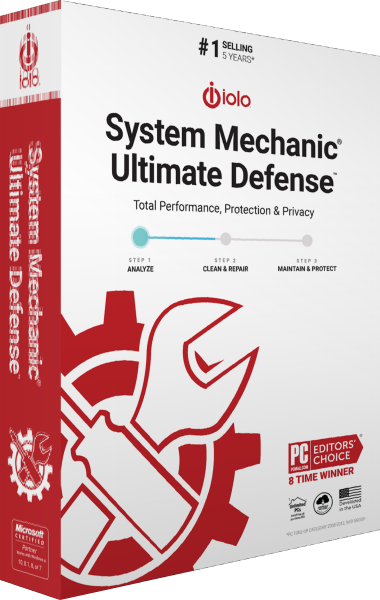
iolo System Mechanic Ultimate Defense
Maintain Windows, protect against malware and manage browser privacy, passwords, file recovery and drive erasure in one suite.

Bitdefender Premium Security
Combine malware protection and unlimited VPN traffic with Bitdefender Premium Security.
Explore more
- iolo System Mechanic Ultimate Defense vs Avira Prime
- iolo System Mechanic Ultimate Defense vs AVG Ultimate
- iolo System Mechanic Ultimate Defense vs Avast Ultimate
- iolo System Mechanic Ultimate Defense vs Kaspersky Premium
- iolo System Mechanic Ultimate Defense vs IObit Advanced SystemCare Ultimate
- iolo System Mechanic vs Professional vs Ultimate Defense
- Kaspersky Premium vs Bitdefender Premium Security
- Explore internet security software
- Prepare independent file backups