Product comparison
iolo System Mechanic Ultimate Defense vs IObit Advanced SystemCare Ultimate
Both products combine Windows cleanup and performance tools with real-time antivirus. Ultimate Defense adds named privacy, password, recovery and erasure components. Advanced SystemCare Ultimate combines SystemCare maintenance with antivirus and protected-file controls. Compare those roles and the activated components rather than assuming that two Ultimate names describe matching packages.
Compare included tools
| Task | iolo System Mechanic Ultimate Defense | IObit Advanced SystemCare Ultimate |
|---|---|---|
| Windows maintenance | System Mechanic cleanup, startup controls, ActiveCare and LiveBoost | SystemCare cleanup, startup and background-activity controls |
| Antivirus | System Shield real-time protection plus Malware Killer on-demand scans | Integrated antivirus using Bitdefender technology and IObit features |
| Browser and file controls | Privacy Guardian cookie cleanup, exclusions and privacy settings | Privacy-related cleanup and protected-file settings including Safe Folder |
| Passwords | ByePass+ password-management component | Do not infer a matching password-manager entitlement from the maintenance toolbox |
| Data utilities | Search and Recover and DriveScrubber | Protected-folder settings differ from deleted-file recovery and full-drive erasure |
| Package boundaries | Separate ioloVPN and iolo Updater entitlements must be checked | Other IObit Pro applications such as Driver Booster and Smart Defrag require separate entitlements |
Which workflow fits?
Consider Ultimate Defense for the additional component roles
iolo System Mechanic Ultimate Defense adds Privacy Guardian and ByePass+ to the maintenance, protection and data tools also covered in Professional. Check browser exclusions, password-extension setup and the correct recovery or erasure target before relying on the suite for those tasks.
Consider Advanced SystemCare Ultimate for integrated antivirus and care
IObit Advanced SystemCare Ultimate combines SystemCare maintenance with antivirus, scan controls and protected-file settings. Confirm the protected folders and permitted applications; preventive access rules do not replace recovery copies after a data loss.
Check the active antivirus arrangement after installation. IObit's compatibility mode can omit real-time protection drivers when another antivirus is detected. Follow the installation guidance when changing products, and verify which service is active rather than inferring protection from an installed shortcut.
Edition scope and practical checks
Both entries are unnumbered. Check the activated edition and installed controls. Neither an IObit toolbox link nor a shared iolo installer name establishes access to every separate product or service.
- List the maintenance, privacy, password and data tasks needed beyond the antivirus role.
- Follow antivirus installation guidance and confirm real-time service status and database updates.
- Review cleanup categories, privacy exclusions and protected-folder rules before automatic actions.
- Test ordinary applications, password access and recovery output separately before expanding the routine.
We have not benchmarked malware detection, cleanup accuracy or performance on identical systems. The comparison describes documented tool coverage. Recovery depends on surviving, readable data; threat removal and privacy controls do not replace independent, tested backups.
Compared products
Review the selected catalog products and the components enabled by the actual subscription.
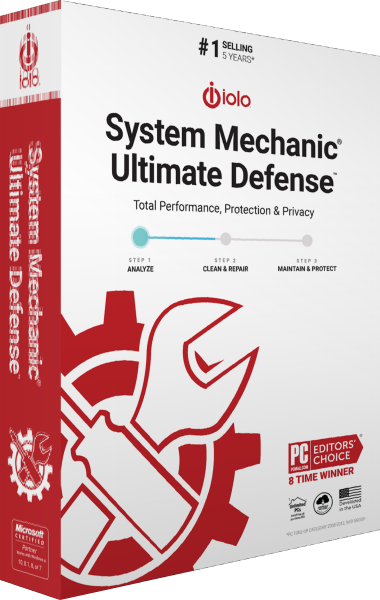
iolo System Mechanic Ultimate Defense
Maintain Windows, protect against malware and manage browser privacy, passwords, file recovery and drive erasure in one suite.

IObit Advanced SystemCare Ultimate
Combine real-time antivirus protection with Windows cleanup and optimization.
Explore more
- iolo System Mechanic Ultimate Defense vs Avira Prime
- iolo System Mechanic Ultimate Defense vs AVG Ultimate
- iolo System Mechanic Ultimate Defense vs Avast Ultimate
- iolo System Mechanic Ultimate Defense vs Kaspersky Premium
- iolo System Mechanic Ultimate Defense vs Bitdefender Premium Security
- iolo System Mechanic vs Professional vs Ultimate Defense
- iolo System Mechanic Professional vs IObit Advanced SystemCare Ultimate
- iolo System Mechanic vs IObit Advanced SystemCare Pro
- Explore internet security software
- Prepare independent file backups