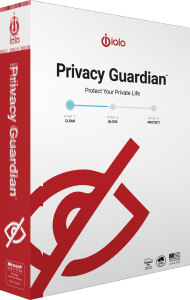


Manage browser traces with iolo Privacy Guardian
iolo Privacy Guardian provides Windows privacy tools for clearing cookies and browsing traces, managing selected data-collection settings and reducing browser tracking. Use its controls to decide what to remove locally and what to retain.
Local cleanup does not delete records already held by websites or remove information you submitted to an online account. Choose settings around the browsers and services you actually use.
Schedule cookie cleanup and retain useful site data
Automated cookie clearance lets you choose when browsing data is removed. A website whitelist preserves data for selected sites, helping retain useful sessions and preferences.
Review the whitelist before enabling routine cleanup. Removing cookies can sign you out or clear a shopping cart, while retaining them allows those sites to keep the stored data you chose to preserve.
Review saved-password removal separately
The Saved Passwords setting controls whether cleanup removes passwords stored in the browser. A cookie whitelist does not replace this separate setting. Leave password removal unchecked if you intend to retain those credentials.
Before changing cleanup options, confirm how you will sign back in to important accounts. Start with a deliberate manual cleanup and check the result before relying on a recurring schedule.
Set up fingerprinting protection in each browser
The Privacy section offers a Fingerprinting Extension workflow for adding browser protection. Install the extension in each supported browser you use, then review its settings and filters through the browser toolbar.
Digital fingerprinting can use a combination of browser and device characteristics to recognize visitors. The extension targets tracking; it should not be treated as a promise to remove every advertisement or make signed-in activity anonymous.
Review privacy settings and cleanup history
Privacy Shield groups selected Windows data-collection controls, while Private Search provides a search option within the product's privacy tools. Review individual settings before changing them and check that the Windows features you need continue to work as intended.
The history view reports removed tracking cookies and blocked fingerprinting attempts. Use that information to review the tool's actions, rather than interpreting a count as proof that all online tracking has stopped.
Understand the installer and the activated product
Privacy Guardian uses the System Mechanic Ultimate Defense installation framework. The installer can initially show that suite name; entering a standalone Privacy Guardian activation key enables the corresponding product.
The shared installer does not establish access to every suite component. Review the tools enabled by your own license rather than inferring coverage from the installer name.
Choose tools for local privacy and connection privacy
For an encrypted connection to a VPN gateway, explore ioloVPN. Privacy Guardian's browser cleanup serves a different purpose from routing network traffic through a VPN.
For Windows cleanup and maintenance, see iolo System Mechanic. Compare the tasks covered by each product before choosing which tools to use together.
Compare browser, device and connection privacy
Explore privacy tools for related catalog products and workflows.