Product comparison
iolo Privacy Guardian vs VIPRE Privacy Shield
These products overlap in reviewing local privacy data, but they emphasize different controls. Privacy Guardian combines recurring browser cleanup with tracking-protection setup and selected Windows privacy settings. VIPRE also emphasizes scans for stored personal information and credentials, alongside recording-device controls.
Compare privacy workflows
| Task | iolo Privacy Guardian | VIPRE Privacy Shield |
|---|---|---|
| Browser traces | Scheduled cookie and browsing-data cleanup | Browsing Tracks scan results with selected deletion |
| Data to retain | Website whitelist for retained site data | Review the detected records before selecting removal or another available action |
| Saved credentials | Saved Passwords is a separate cleanup setting | Login Credentials shows stored browser logins for review |
| Tracking controls | Fingerprinting Extension setup for supported browsers | Tracking and ad-blocking controls are described in the feature overview; verify the installed build |
| Other local information | Selected Windows data-collection controls | Personal-information and sensitive-document findings |
| Camera and microphone | Review the Windows privacy options exposed by the installed release | Dedicated webcam and microphone controls are documented |
Which workflow fits?
Consider Guardian for recurring browser privacy work
iolo Privacy Guardian is a candidate when you want scheduled cookie cleanup and a website whitelist. Review saved-password removal separately: preserving a site's cookies is not the same setting as keeping its saved credentials.
Its tracking-protection workflow adds an extension to supported browsers. The published setup article dates from 2024, so confirm current availability for each browser before choosing around it.
Consider VIPRE for a wider review of sensitive local data
VIPRE Privacy Shield documents scans for stored logins, personal information and potentially sensitive documents. Its recording-device controls are another reason to compare the products when camera and microphone access matter.
A finding is an item to review, not an instruction to delete it. Confirm the available action and how you will retain access to needed credentials or documents before changing them.
Check the selected privacy controls
- Review the browsers and profiles in use, then identify site sessions and credentials you need to retain.
- Check Guardian extension availability and configure the whitelist and saved-password setting independently.
- In VIPRE, inspect individual login, personal-information and document findings before selecting an action.
- Test normal sign-in, camera and microphone workflows after the selected changes.
This comparison follows documented functions, not measured tracking-blocking effectiveness. Local cleanup does not remove information already held by an online service.
Compared products
The comparison covers the standalone products. Verify browser support and the controls exposed by the installed releases; the two products use different settings and workflows.
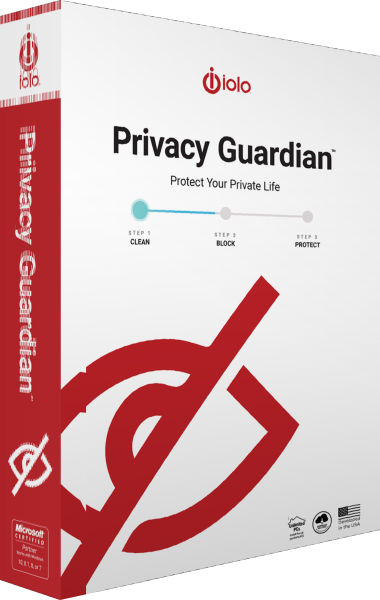
iolo Privacy Guardian
Manage browser traces, schedule cookie cleanup and configure tracking protection and selected Windows privacy settings.

VIPRE Privacy Shield
Manage webcam, microphone, and computer privacy settings with VIPRE Privacy Shield.