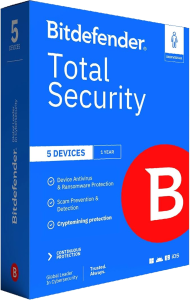




Protect everyday activity with Bitdefender Total Security 2026
Bitdefender Total Security 2026 combines device protection with privacy and account-management tools. Use it to review security alerts, scan for threats, and manage protection across the devices covered by your subscription.
A household may use different devices for work, shopping, and entertainment. Check the selected plan and the tools available on each device rather than assuming every installation provides the same features.
Review malware and suspicious-behavior alerts
The Windows application includes antivirus scanning, behavior-based threat detection, online threat prevention, and ransomware remediation. These layers address different signs of harmful activity.
Keep protection updated and review alerts before taking action on an unfamiliar file. No security application can guarantee that every threat will be blocked or every affected file restored. Maintain separate recovery copies of important documents.
Check links and sensitive online activity
Web protection helps identify malicious sites and phishing attempts. On Windows, Safepay provides a dedicated browser for sensitive transactions, while firewall controls help manage application connections.
When a message asks you to sign in or pay urgently, verify the request through a known channel. A security warning is useful information, but the absence of a warning does not establish that an unfamiliar offer is trustworthy.
Understand the included VPN allowance
The standard VPN includes up to 200 MB of encrypted traffic per day per device. This is a limited allowance, rather than an unlimited connection for long streaming or download sessions.
Review how much VPN traffic your activities require. For a dedicated VPN option, see Bitdefender Premium VPN. A VPN addresses connection privacy and does not replace malware protection or safe account practices.
Use password and privacy tools around your accounts
The current Total Security offering lists password management alongside device protection. Check the account entitlement in your selected subscription before relying on it for everyone in a household.
Use distinct passwords for important accounts and review available sign-in protections. Windows privacy tools also include anti-tracking and webcam or microphone access controls; availability differs across platforms.
Manage devices and review family settings
Bitdefender Central provides subscription management, installation access, and device security monitoring. Use it to check which devices are enrolled and whether an installation needs attention.
Where parental controls are included, configure them around the child's device and routine. Review settings with the family and check how they work in practice. Filtering tools cannot guarantee that every inappropriate page or interaction will be prevented.
Choose coverage around the devices you use
Total Security covers Windows, macOS, Android, and iOS through their respective applications. Features differ: Windows firewall and system utilities should not be assumed to exist in an identical form on a phone or Mac.
For broader package options, compare Bitdefender Premium Security. Review device count, subscription term, VPN allowance, and account tools for the specific plan before choosing.