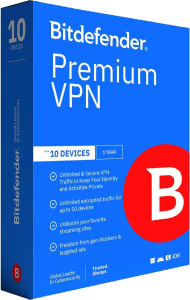
Use an encrypted connection with Bitdefender Premium VPN 2026
Bitdefender Premium VPN 2026 routes traffic through an encrypted VPN connection and provides unlimited VPN traffic. Choose an available server location and use the service across the devices covered by your subscription.
A VPN is useful when you want to reduce exposure on an unfamiliar network or use a VPN server address for online activity. Keep account security and malware protection in place alongside the connection.
Connect without a daily VPN traffic allowance
Premium VPN removes the daily traffic allowance associated with the standard VPN included in some Bitdefender security packages. The published standalone offer covers up to 10 devices; confirm the selected plan before enrolling them.
Unlimited traffic describes the amount of data you can use through the service. It does not promise a particular download speed. Performance depends on the local connection, server load, routing, and the service you are accessing.
Choose a server for your session
Select from the available VPN locations rather than relying on a fixed list of server counts. Try a location suited to your activity and check that the applications you need work as expected.
Some websites and streaming services restrict VPN connections or change their access rules. Server selection does not guarantee access to every catalog or website. Follow the terms of the service you use.
Review connection-drop protection
The kill switch is designed to stop Internet traffic if the VPN connection is lost. Review the setting in the application and check its behavior around your normal workflow.
If a session is interrupted, confirm that the VPN has reconnected before continuing an activity you intended to route through it. Available settings can differ with the platform and selected connection protocol.
Use split tunneling deliberately
Split tunneling lets selected applications or websites bypass the VPN, depending on the platform. It can help when an application needs a direct connection while other traffic remains in the tunnel.
Review each exception carefully. Traffic excluded from the VPN does not receive the same tunnel protection. Keep the exception list limited to the destinations that need it and check the available controls on each device.
Manage ads and tracking with realistic expectations
Ad-blocking and anti-tracking options help reduce unwanted browsing activity. These controls complement the VPN connection rather than making every online action anonymous.
Signing in to an account still identifies you to that service, and information you submit remains visible to its recipient. Review browser permissions, account settings, and suspicious requests as part of everyday privacy management.
Combine connection privacy with device protection
VPN protection and antivirus address different tasks. For malware scanning and device security, compare Bitdefender Total Security 2026.
For a broader security package, see Bitdefender Premium Security. Check its included VPN entitlement, device coverage, and other tools before choosing between a suite and the standalone VPN.
Compare VPN services
Compare automatic connection rules, split tunneling and device coverage in our ioloVPN vs Bitdefender Premium VPN comparison.