Product comparison
Ashampoo Backup Pro 27 vs Acronis True Image 2026
Both products create file backups and system images. Backup Pro 27 focuses on backup-plan management, supported storage destinations and recovery access. True Image 2026 combines backup and cloning with security or cloud services whose scope depends on the selected edition. Compare the actual Windows offer and the recovery copies it can provide.
Compare backup workflows
| Task | Ashampoo Backup Pro 27 | Acronis True Image 2026 |
|---|---|---|
| Backup coverage | File, folder, drive and system-partition backups | File, folder, disk and partition backup |
| Automation | Unified plan controls, logs and configured external-drive triggers | Scheduled backups with incremental and differential methods |
| Cloud scope | Connections to supported providers; storage accounts and capacity are separate | Acronis Cloud depends on the plan; Essentials does not include cloud backup |
| File recovery | Backup Explorer retrieves selected files, including from images | Individual file recovery from suitable backups |
| System and migration tasks | Bootable rescue environment for recovery from an existing backup | Rescue media and disk cloning for storage migration |
| Additional functions | Drive-status overview, Check & Repair and BitLocker unlocking | Security and Windows patch-management functions depend on edition |
Which workflow fits?
Consider Backup Pro for a backup-centered routine
Ashampoo Backup Pro 27 offers revised plan management, direct file retrieval through Backup Explorer and supported cloud destinations. Inspect the settings and results of the plans you need, including any associated external storage.
Consider True Image when its edition adds useful services
Acronis True Image 2026 provides file and system backups, cloning and recovery, with cloud and security functions varying by plan. Confirm the selected edition and its cloud allowance before expecting an off-site copy. The Essentials plan's local backup capability does not establish Acronis Cloud access.
Cloning, retaining dated backups and blocking threats are different tasks. A clone supports a drive migration, while backup history supplies earlier recovery points. Review any security functions separately and verify a restore instead of treating an enabled protection module as proof that backups are usable.
Check your recovery plan
The comparison covers the Windows 2026 catalog entry. Check Acronis plan names, cloud entitlement and the installed security or patch-management features separately. Supported cloud-provider access in Ashampoo also requires a suitable account and available storage.
- Confirm the selected edition and identify the required local and off-site destinations.
- Create a small backup and review the source scope, schedule, retained versions and last result.
- Restore sample files to another folder and verify the contents.
- Prepare rescue media, confirm storage access and keep the information needed for encrypted or cloud backups available.
This comparison describes documented workflows. We have not benchmarked backup speed or recovery reliability on identical systems. Check available storage, retain the required backup chain and keep destination credentials accessible independently of the original computer.
Compared products
Review the selected product versions and verify installed-build features, edition scope and recovery access.
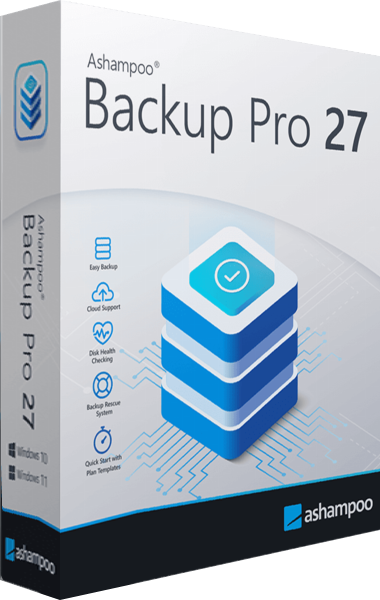
Ashampoo Backup Pro
Back up files and Windows systems to local, network or cloud storage, with individual file recovery and bootable rescue media.

Acronis True Image
Back up files, create system images and prepare recovery or drive migration workflows with Acronis True Image.
Explore more
- Ashampoo Backup Pro 27 vs EaseUS Todo Backup Home 2026
- Ashampoo Backup Pro 27 vs Macrium Reflect X Home
- Ashampoo Backup Pro 27 vs O&O DiskImage 23
- Ashampoo Backup Pro 27 vs Laplink DiskImage
- Ashampoo Backup Pro 27 vs Ashampoo Backup Pro 26
- Acronis True Image 2026 vs O&O DiskImage 23
- How to Choose Backup Software
- Plan a Windows system backup