Product comparison
Ashampoo Backup Pro 27 vs EaseUS Todo Backup Home 2026
Both applications provide file backups and system images. Backup Pro 27 emphasizes unified plan management, supported cloud destinations and file retrieval through Backup Explorer. Todo Backup Home adds cloning and a Security Zone workflow alongside scheduled backups. Start with what you need to restore and where an independent copy will be stored.
Compare backup workflows
| Task | Ashampoo Backup Pro 27 | EaseUS Todo Backup Home 2026 |
|---|---|---|
| Backup scope | Files, folders, drives and system partitions | System, disk, partition and file backups |
| Plan management | Unified creation and editing, dashboard statistics and detailed logs | Scheduled tasks, backup methods and Smart Backup for selected files |
| External storage routine | Configured Plug & Play plans start when associated storage is connected | Check task schedules and destination availability in the selected plan |
| Cloud destinations | Supported cloud services alongside local and network destinations | Public-cloud and EaseUS Cloud workflows differ in supported backup types and subscription scope |
| File and emergency recovery | Backup Explorer for selected files, including images; bootable rescue media | Supported image mounting and WinPE emergency media |
| Additional task | Check & Repair and expanded BitLocker unlocking | Disk or system cloning and Security Zone backup storage |
Which workflow fits?
Consider Backup Pro for its plan and destination workflow
Ashampoo Backup Pro 27 brings plan creation and editing into one workflow, with logs and statistics available from the overview. Its cloud-service connections and configured external-drive triggers can fit a routine built around several storage destinations.
Consider Todo Backup Home when migration is part of the task
EaseUS Todo Backup Home 2026 combines backup plans with disk and system cloning. Smart Backup targets selected files, while Security Zone provides a protected backup-storage partition. A zone on the same physical drive still depends on that drive, so keep an independently accessible copy.
Compare cloud access by backup type. EaseUS distinguishes public-cloud workflows from its own cloud subscription, while Ashampoo lists supported provider connections. Verify the provider, capacity, credentials and recovery access separately from the application license.
Check your recovery plan
The EaseUS card selects Home 2026 and the Ashampoo card selects version 27. Home capabilities should not be assumed to be new to 2026. Confirm cloud-service scope and included entitlements for the actual offer, especially when planning system-image storage.
- Create a small file-backup plan and confirm the selected folders, destination and exclusions.
- Check the last result and retained history after a scheduled run or an external-drive connection.
- Restore a sample document to a separate folder and open its contents.
- Prepare emergency media and verify access to the backup location without starting a full-system restore.
This comparison describes documented workflows. We have not benchmarked backup speed or recovery reliability on identical systems. Check available storage, retain the required backup chain and keep destination credentials accessible independently of the original computer.
Compared products
Review the selected product versions and verify installed-build features, edition scope and recovery access.
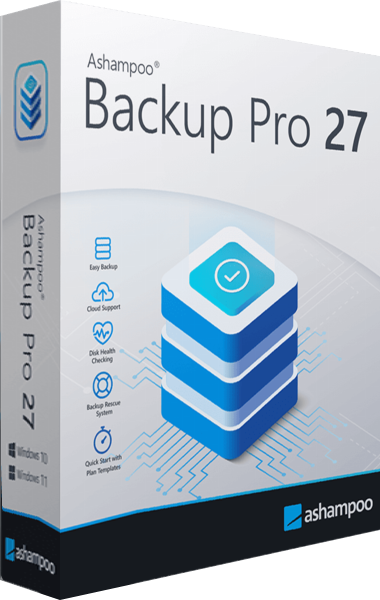
Ashampoo Backup Pro
Back up files and Windows systems to local, network or cloud storage, with individual file recovery and bootable rescue media.
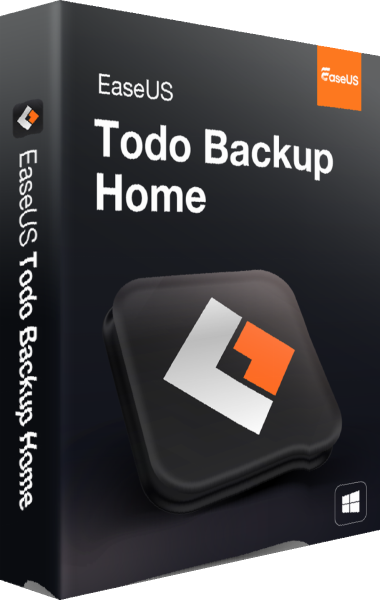
EaseUS Todo Backup Home
Create Windows system and file backups and prepare recovery or drive migration.
Explore more
- Ashampoo Backup Pro 27 vs Macrium Reflect X Home
- Ashampoo Backup Pro 27 vs O&O DiskImage 23
- Ashampoo Backup Pro 27 vs Acronis True Image 2026
- Ashampoo Backup Pro 27 vs Laplink DiskImage
- Ashampoo Backup Pro 27 vs Ashampoo Backup Pro 26
- EaseUS Todo Backup Home vs Ashampoo Backup Pro 26
- How to Choose Backup Software
- Plan a Windows system backup