Product comparison
CyberLink PowerDirector 2026 vs Corel VideoStudio Ultimate 2023
Compare two video-editing workflows for footage, titles, sound and finished productions. The releases come from different years, and the VideoStudio features discussed here belong to Ultimate 2023 rather than every VideoStudio edition.
Feature comparison
| Task | CyberLink PowerDirector 2026 | Corel VideoStudio Ultimate 2023 |
|---|---|---|
| Timeline | 100-track timeline in the listed 2026 editions | 50-track timeline for HD and 4K projects |
| Multiple cameras | MultiCam Designer | Up to six cameras in Ultimate |
| Masking and motion | Mask Designer, motion tracking and keyframes | Mask Creator, motion tracking and motion controls |
| Subtitle workflow | SRT import/export; speech-to-text in Ultimate and Ultimate Suite | Speech to Text converter for subtitle creation |
| Titles and effects | Title animation and edition-dependent content | 3D Titler, title-motion tools and Ultimate effect collections |
| Color and audio | Color adjustments and edition-dependent automated audio tools | Color grading and Audio Cues for editing to sound |
PowerDirector edition scope
This comparison covers the perpetual PowerDirector 2026 release. Ultra, Ultimate and Ultimate Suite share core editing functions, but speech-to-text and AI audio denoise are included in Ultimate and Ultimate Suite rather than Ultra. Only Ultimate Suite bundles the separate AudioDirector 2026 and ColorDirector 2026 applications.
PowerDirector 365 is a separate subscription. Do not attribute its stock library, AI Image Generator or exclusive ongoing feature updates to a perpetual 2026 license. Source-format support also differs from the editing color workflow: non-subscription PowerDirector 2026 converts imported 10-bit HDR footage to 8-bit SDR on the timeline.
Compare the editing tools in the exact editions
Consider VideoStudio Ultimate 2023 when its combination of Mask Creator, 3D Titler, color grading and Audio Cues suits your production. Review effect collections individually instead of assuming that every bundled plug-in has the same role or remains available in every installation.
Consider PowerDirector 2026 when its title, tracking, multi-camera or caption workflow matches the project. Check Ultimate or Ultimate Suite if speech recognition and AI audio denoise are essential.
The release years identify the compared products; they do not establish an editing-speed or reliability winner. Test the actual source formats and output you need in each installed build.
Review CyberLink PowerDirector 2026 and Corel VideoStudio Ultimate 2023 for the compared versions and edition details.
Prepare captions and a synchronized edit
- Build a sequence with dialogue, background music and two camera angles.
- Create captions and review names, punctuation, language coverage and timing.
- Add a tracked element or mask, then match the appearance of adjacent shots.
- Inspect the exported file with its required audio and subtitles on the viewing device.
This is a comparison of documented tools and workflows. We have not benchmarked render speed, tracking accuracy, recognition accuracy or stability on identical projects. Keep editable projects and source media separately from final exports, with independent recovery copies.
Compared products
The PowerDirector card identifies the 2026 product line. Check Ultra, Ultimate and Ultimate Suite separately before relying on an edition-specific function.
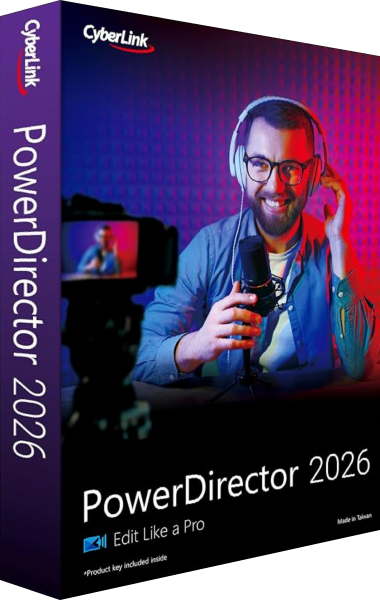
CyberLink PowerDirector 2026
Edit video clips, titles, effects and audio, then export finished productions with tools that vary by edition.

VideoStudio Ultimate
Create movies with color grading, video masking, and audio cues in VideoStudio Ultimate.