Edit video projects from source clips to a finished export
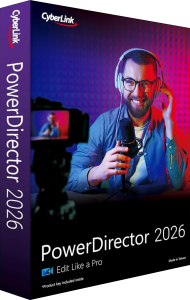
CyberLink PowerDirector 2026 is a Windows video editor for arranging clips, titles, effects and audio into a finished production. Develop a sequence for a presentation, a family film or an online video, then export a file for its intended audience.
Begin with the purpose and shape of the video. Choose the main story, assemble the essential shots and keep source footage organized before spending time on transitions or decorative effects.
Build the sequence and control movement
Timeline editing, keyframes, motion tracking and picture-in-picture tools help combine footage and animated elements. MultiCam Designer provides a workflow for material recorded from more than one camera.
Create a rough cut before refining individual moments. Check that a title remains readable, that an overlay does not cover an important action and that camera changes support the sequence rather than distract from it.
Prepare titles, sound and subtitles
Combine titles with audio editing and subtitle workflows, including SRT import and export. Some automated tools depend on the edition: speech-to-text and AI audio denoise are included in Ultimate and Ultimate Suite, while Ultra does not include those features.
Review generated or imported captions against the spoken words. Check names, timing and line breaks, then listen to the exported sequence with dialogue and music together. An automatic correction is a starting point for review rather than proof that every word or sound is right.
Choose the export around the viewing format
PowerDirector 2026 supports 4K production and projects in formats such as vertical, square and widescreen. Format support varies by edition and media type, so test a representative source clip before building a long project around it.
Review the exported file itself, including its opening and closing frames, captions and sound. In the non-subscription 2026 release, imported 10-bit HDR footage is converted to 8-bit SDR on the timeline; do not assume that importing an HDR source preserves an HDR editing workflow.
Understand Ultra, Ultimate and Ultimate Suite
The 2026 editions share editing tools but differ in automated features, format support and bundled applications. Ultimate Suite includes AudioDirector 2026 and ColorDirector 2026; these separate applications are not included with standalone Ultra or Ultimate.
Choose by the functions needed for your project rather than by the year alone. If a particular audio tool or source format is essential, verify its edition availability before moving the complete project into that workflow.
Keep PowerDirector 2026 separate from PowerDirector 365
PowerDirector 2026 is a perpetual-license release. PowerDirector 365 is a subscription with its own feature and content updates. The 2026 edition comparison does not include the subscription stock library or AI Image Generator with the perpetual editions.
Keep track of the tools and assets actually licensed for a project. Do not assume that a tutorial for a newer release or the subscription describes every control in your 2026 installation, or that all downloadable content has identical usage terms.
Organize project files and related media tasks
Keep the editable project, source clips and final exports under distinct names. Preserve the source material when archiving a project so that a later revision is not limited to editing the finished video.
Explore video editing software or the CyberLink software catalog for related products. For watching the finished video and organizing playback, see PowerDVD 24. You can also compare editing workflows with Nero Video 2026.