Play discs and local media in one application
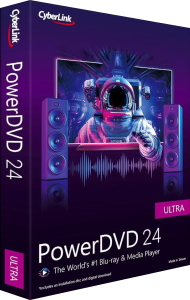
CyberLink PowerDVD 24 is a Windows media player for DVD movies and local video, music and photographs. Blu-ray playback and other advanced functions depend on the edition: Standard, Pro or Ultra.
Start with the type of content you want to watch. A movie disc, a disc image and an individual video file use different playback paths, so choose the source before adjusting picture or sound settings.
Navigate movie discs and image files
DVD movie playback is included in Standard, Pro and Ultra. Blu-ray disc playback is available in Pro and Ultra, while DVD and Blu-ray movie ISO playback is available in Ultra. PowerDVD 365 also includes these disc and ISO functions.
Keep source discs and image files clearly labeled, and check the intended title before starting a long viewing session. Playback support does not imply that the application can remove copy protection or repair a damaged source.
Distinguish high-resolution files from Ultra HD Blu-ray
Video-format support varies by edition. Ultra and PowerDVD 365 include 8K playback and additional formats such as HEVC and AV1. Ultra HD Blu-ray, also called UHD BD or 4K Blu-ray, is a separate disc format whose playback support has been discontinued.
A standard Blu-ray movie and an Ultra HD Blu-ray movie should therefore not be treated as interchangeable sources. Check which type of media is in your collection rather than relying on the product name alone.
Adjust picture and sound with TrueTheater
TrueTheater provides playback enhancements for picture and sound, with the controls varying by edition and content. PowerDVD 24 Ultra and PowerDVD 365 include the TrueTheater Noise Reduction and Speech Isolation features.
Compare a short scene with and without enhancement before choosing a setting for the whole movie. Stronger processing is not always preferable, and playback enhancement does not recreate an exact original recording from missing information.
Organize a library and choose a viewing workflow
Media-library tools organize local content across the editions. TV Mode and casting are available in Ultra and PowerDVD 365, and are not included in Standard or Pro. Check the chosen edition before planning a viewing workflow around these features.
Use clear file names and folders so that alternate cuts or exports remain easy to distinguish. Test a representative video in the intended viewing workflow, including its audio and subtitles, before reorganizing a large collection around that setup.
Understand PowerDVD 24 and PowerDVD 365
PowerDVD 24 has Standard, Pro and Ultra editions with one-time licenses, while PowerDVD 365 uses a subscription. Compare the playback features first, then check version-update and cloud-service entitlements separately. A PowerDVD 24 license does not automatically include every 365 benefit.
Review the installed release and selected license before relying on a particular online service. For related products already on this site, explore the CyberLink software catalog or compare media players and library software.
Compare PowerDVD 24 with Nero MediaHome 2026
Our PowerDVD 24 vs Nero MediaHome 2026 comparison covers movie-disc playback, media-library organization and home viewing. Check the PowerDVD edition differences alongside MediaHome's playback scope.