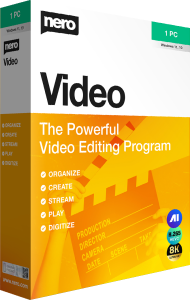

Create movies and slideshows with Nero Video 2026
Nero Video 2026 combines multi-track video editing, slideshow creation, and video-disc authoring. Arrange footage, photographs, music, and titles into a project, then prepare the result for your intended audience.
Use it for a travel film, a family celebration, or a presentation assembled from several recordings. Begin with the story you want to tell and select the material that supports it rather than placing every imported clip in the final sequence.
Choose express or advanced editing
Express editing and story templates offer a starting point for a short project. Advanced editing provides a multi-track workflow for arranging clips, overlays, and sound with more control.
Build a rough sequence first, remove repeated or unnecessary footage, and check how each scene leads into the next. Keep the original files in a stable project folder so you can return to the edit later.
Add titles, effects, and sound
Available editing tools include transitions, keyframe animation, audio filters, green-screen effects, and picture-in-picture compositions. Use these to support the sequence and draw attention to relevant details.
For a narrated presentation, keep background music low enough for speech to remain clear. Preview titles at the intended viewing size, and use transitions consistently so they do not distract from the material.
Prepare portrait videos and photo presentations
Portrait-video support and vertical templates help prepare footage recorded on a phone. Slideshow tools let you combine photographs with music and presentation effects.
Choose the frame orientation before arranging the project. If you combine landscape and portrait material, review how each image fits the frame and check that important subjects remain visible. A template cannot make every composition suit every screen.
Plan high-resolution projects around the final output
Nero lists multi-track editing for HD, 4K, and 8K material. Choose the project and export settings around the source recordings and how the audience will view the result.
A larger output resolution does not recover detail missing from the original footage. Check a short export for framing, motion, sound, and readability before rendering the complete film.
Create video files or discs with menus
Export an edited movie as a video file, or use DVD-Video and Blu-ray authoring to prepare a disc project with menus and chapters. These are different delivery workflows, so decide which one your audience needs.
For a disc project, preview the menu navigation and chapter order. For a video file, play the export on the intended destination before distributing it. Save the editable project separately from the finished movie.
Organize source media and keep recovery copies
For browsing a larger collection of recordings, photographs, and music, compare Nero MediaHome 2026. If the task is converting an existing file for another player, compare Nero Recode 2026.
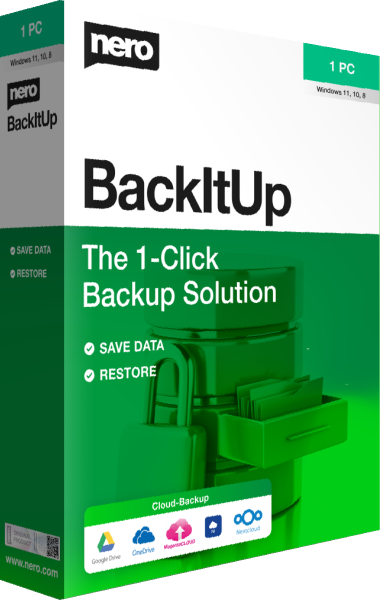
Keep source footage and project files backed up independently of your finished exports. Nero BackItUp 2026 focuses on backup and recovery. An exported film does not contain everything needed to recreate the original edit.