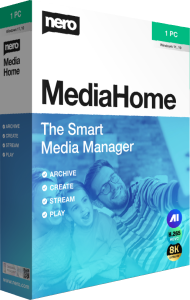


Organize and enjoy your collection with Nero MediaHome 2026
Nero MediaHome 2026 brings photos, videos, and music into a browsable media library. Use it to find personal recordings, arrange albums and playlists, and play the material you want to revisit.
A family collection often grows across camera imports, phone transfers, and folders saved over several years. A library view gives you a practical starting point for browsing that collection without opening each folder separately.
Browse photos and videos by date, place, and tags
Add your media folders and use the available timeline, location, face, favorite, and keyword views to narrow the collection. Tags provide another way to group material when folder names alone do not describe it clearly.
For example, a holiday collection may include photographs and short videos saved on different days. Browse by date, review the relevant files, and give the selected material a descriptive album name so you can return to it later.
Build albums around events and people
Create photo and video albums for trips, celebrations, or ongoing projects. Albums let you gather related items into a named collection that is easier to browse than the full library.
Keep the purpose of each album clear: a complete record of an event and a short selection to show friends serve different needs. Review the contents before presenting them, particularly when the collection includes private photographs or unfinished recordings.
Listen to music and organize playlists
Browse your music library and assemble playlists for different occasions. MediaHome also offers audio CD importing and Gracenote metadata lookup to help identify recordings and album artwork.
Check the retrieved track information before relying on it to organize an album. Clear artist and album names make a collection easier to navigate, especially when it contains compilations, live recordings, or several editions of the same release.
Turn selected memories into a slideshow
Choose photographs and video clips for a presentation, then add background music, transitions, and titles. Photo enhancement tools and effects can help prepare the images before you arrange them.
Start with a short selection rather than every file from an event. Put the material in a useful sequence, check the timing against the music, and preview the result before saving or sharing it.
Play your library on the PC and compatible home devices
Use MediaHome for photo viewing, music listening, and video playback on the PC. For a living-room presentation, its streaming workflow can send media to compatible devices on the home network, with Nero Streaming Player providing mobile control.
Try a representative photo, music track, and video on the intended playback device before preparing a larger session. Format support varies by media and destination; a library entry does not mean every device can play that file.
Choose the tool for the next step in your collection
MediaHome focuses on organizing, presenting, and enjoying media. If repeated imports have created unnecessary copies, compare Nero Duplicate Manager 2026 for a dedicated duplicate search.
Keep recovery copies separate from your everyday library. Nero BackItUp 2026 addresses backup and recovery, while MediaHome helps you browse and play your collection. Creating an album does not replace a backup of the original files.
Compare MediaHome 2026 with PowerDVD 24
See our PowerDVD 24 vs Nero MediaHome 2026 comparison for media-library, playback and streaming workflows. MediaHome can play unprotected Blu-ray/AVCHD content as video files, but does not play commercial or copy-protected Blu-ray movie discs.