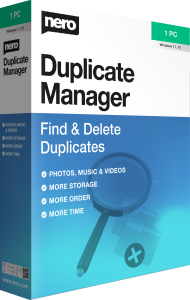



Find duplicate media with Nero Duplicate Manager 2026
Nero Duplicate Manager 2026 helps identify duplicate photos, music, and videos in selected folders or drives. Review the results, decide which copies to retain, and remove unnecessary files to reclaim storage.
Repeated imports, copied folders, and overlapping media collections can leave the same material in several locations. Start with the folders you want to organize rather than treating every duplicate on the computer as unwanted.
Choose folders and drives to scan
Select one or more locations for the duplicate search. Scanning the folders involved in a recent import or archive merge gives you a focused starting point for cleanup.
Keep intentional backup locations out of the cleanup selection. A duplicate stored as a backup serves a different purpose from an unnecessary copy in a working media folder.
Review results before deleting copies
The program identifies duplicate media and helps you decide which files to keep. Check the location of each copy alongside its contents before accepting a deletion selection.
For example, a photograph may appear in both an import folder and the collection you regularly use. Retain the copy in the intended collection and make sure any application that references it can still locate it.
Keep useful versions of photos, music, and videos
Use duplicate cleanup to remove repeated copies without losing the organization you depend on. Review results carefully when a folder contains source media, edited exports, or copies prepared for different devices.
Files that look alike are not necessarily interchangeable. Do not assume the duplicate search is a complete assessment of visual similarity, audio quality, or which edit you prefer.
Work through a collection in manageable steps
Begin with a small selection of folders, inspect the results, and remove only copies you have confirmed are unnecessary. Open important retained files after cleanup and check that your media collection still works as expected.
Repeat the process for other locations once you are comfortable with the workflow. The space reclaimed depends on the duplicates actually found and removed; cleanup does not guarantee a faster computer.
Separate duplicate cleanup from backup
Before reorganizing valuable media, keep a separate copy you can return to. For scheduled backups and version recovery, compare Nero BackItUp 2026.
Duplicate Manager helps reduce unnecessary copies in a selected collection. Backup preserves copies for recovery. Keep these goals separate so cleanup does not remove the files you rely on if something goes wrong.
Review the edition and your cleanup goal
Confirm the selected edition and license details before choosing the product. This overview describes the published 2026 duplicate-media workflow without assuming support for every file type or automatic selection of the best copy.
Choose the tool when your main task is finding repeated media files. Review the scan results around your folder structure and the copies you intentionally want to preserve.