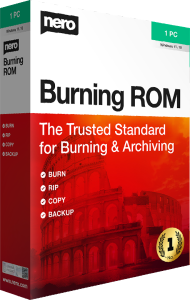



Burn, copy, and rip discs with Nero Burning ROM 2026
Nero Burning ROM 2026 provides tools for CD, DVD, and Blu-ray projects. Create data discs, work with disc images, extract audio tracks, and apply protection options to selected data archives.
Choose the project around its purpose. A disc for sharing files, an audio CD for a player, and an ISO image for later use need different settings. Check the finished output in the device or application where you intend to use it.
Create data discs and work with ISO images
Arrange files for a data disc or create an ISO image before recording. Disc images provide a way to retain a prepared layout and burn another copy later.
Review the file selection and capacity before starting. After recording, check important files from the disc and retain another copy of material you cannot replace.
Rip audio CDs into music files
Extract tracks to formats such as MP3, AAC, FLAC, and APE. Choose the format around the player you use and whether you prefer smaller files or lossless audio.
Gracenote integration supports album information and artwork. Review the retrieved metadata before saving your music library, since a lookup may not identify every disc correctly.
Prepare audio CDs and music discs
Create audio CDs or MP3 discs for compatible playback devices. Audio filters and adjustments let you refine the sound, while CoverDesigner helps prepare covers for your projects.
An audio CD and a disc containing music files are different formats. Check what the intended player accepts, review track order, and listen to the result before relying on it for regular playback.
Copy discs and burn prepared video structures
Copy supported discs and record existing disc images or prepared video-disc structures. This is useful when you already have the content organized and need to write it to optical media.
Burning a video structure is a different task from editing footage or authoring a disc menu. Check the project type and playback result instead of assuming that placing video files on a data disc creates a video disc.
Protect data archives with SecurDisc 4.0
SecurDisc 4.0 provides 256-bit encryption, password protection, digital signatures, and adjustable data redundancy. These options support access protection, verification, and recovery of data from some damaged media.
Keep the password and any verification information accessible when needed. Redundancy is not a guarantee that a scratched or failing disc will remain readable, so retain separate copies of important archives.
Disc archives or recurring file backups?
Burning ROM focuses on optical-disc projects and audio extraction. For scheduled file backups, version retention, and restoration from local or cloud storage, compare Nero BackItUp 2026.
Use the workflow that matches how often your files change. A completed disc archive can preserve a fixed collection, while recurring backup jobs help maintain copies of ongoing work.
Review an existing disc workflow
If you use Nero Burning ROM 2021, review the selected edition and the functions needed for your projects. This overview describes the published 2026 capabilities without treating every feature as a new addition.
Confirm the license details and project options before choosing the edition. Keep source files and existing images until you have checked the output from your new workflow.