Product comparison
Ashampoo Photo Organizer Pro 26 vs Corel AfterShot Pro 3
Both tools can help find and select photographs, but the work after selection differs. Photo Organizer Pro 26 centers on maintaining an accessible collection. AfterShot Pro 3 combines asset management with non-destructive RAW processing and batch output. Choose around whether your next result is a better-organized archive or a processed set of photographs.
Compare photo workflows
| Task | Ashampoo Photo Organizer Pro 26 | Corel AfterShot Pro 3 |
|---|---|---|
| Main role | Photo archive organization and selection | Photo management combined with RAW adjustment and batch output |
| Finding pictures | Smart albums, tags, ratings, locations and camera-data search | Metadata browsing, keywords, ratings, labels and search |
| Storage access | Local folders and compatible OneDrive, Dropbox or WebDAV connections | Existing folders with optional catalogs for asset management |
| Metadata exchange | EXIF, XMP and XMP sidecar support | EXIF/IPTC handling and export of metadata changes to XMP sidecars |
| Selecting a series | Automatic grouping, focus assessment and duplicate review | Compare, filter and rate similar shots before processing |
| Editing and output | Open a preferred external editor for further corrections | Non-destructive adjustments, RAW processing and batch export |
Edition and workflow scope
The AfterShot comparison uses the catalog entry for AfterShot Pro 3. Check support for your specific camera files before building a RAW workflow around it. XMP support in both programs does not guarantee that every field, keyword hierarchy or application-specific setting transfers unchanged.
Choose between managing an archive and developing a photo series
When Photo Organizer Pro 26 fits
Choose Ashampoo Photo Organizer Pro 26 if the immediate task is arranging a mixed archive and retrieving pictures by place, event or camera information. Its storage connections and smart albums are useful points to test when the originals are spread across several locations.
When Corel AfterShot Pro 3 fits
Consider Corel AfterShot Pro 3 if selection leads directly to RAW corrections and consistent output for a series. Ratings and metadata can guide that selection before applying adjustments. Exporting metadata changes to standard XMP files is a distinct step when sharing those changes with other applications.
Check a sample collection
- Use a small selection from your actual cameras, including the RAW formats you intend to process.
- Apply keywords and ratings and retrieve the same selection through each search workflow.
- Test XMP exchange on copies, checking dates, captions and keyword hierarchies in both directions.
- Process a short series where supported and inspect exported files while retaining the original captures.
Keep an independent copy before changing names, metadata or retained files. Confirm which changes remain in the application database and which are written to images or sidecars. These comparisons describe documented workflows; no shared performance or recognition-accuracy benchmark was run.
Compared products
Review the selected release and license before building a workflow around its tools.

Ashampoo Photo Organizer Pro
Organize and search photo collections with smart albums, tags, metadata and duplicate detection.
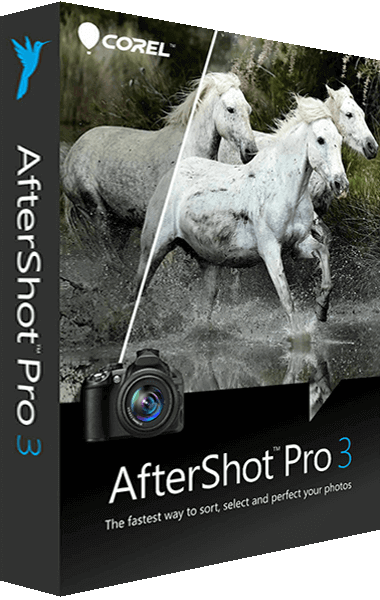
AfterShot Pro
Process RAW photographs, adjust images, and apply batch corrections with AfterShot Pro.
Explore more
- Ashampoo Photo Organizer Pro 26 vs Ashampoo Photo Commander Pro 27
- Ashampoo Photo Organizer Pro 26 vs Nero AI Photo Tagger 2026
- Ashampoo Photo Organizer Pro 26 vs CyberLink PhotoDirector 2026
- Ashampoo Photo Organizer Pro 26 vs Nero DuplicateManager Photo
- PhotoDirector 2026 vs Corel AfterShot Pro 3
- Explore photo editing software
- Keep independent copies of original photographs