Product comparison
Ashampoo Photo Organizer Pro 26 vs Nero DuplicateManager Photo
Repeated files and similar photographs create different decisions. Photo Organizer Pro 26 includes duplicate detection within a broader archive-management workflow. Nero DuplicateManager Photo focuses on finding repeated and similar pictures and choosing which to keep. Compare the review process as well as the match suggestions before changing a collection.
Compare photo workflows
| Task | Ashampoo Photo Organizer Pro 26 | Nero DuplicateManager Photo |
|---|---|---|
| Main role | Manage, search and review an ongoing photo collection | Find duplicate and similar photographs in selected folders |
| Repeated files | Duplicate detection within the organizer | Dedicated duplicate-image results for review |
| Similar photographs | Series grouping and focus assessment help compare shots | Similar-image groups include series, motifs, resized copies and format variants |
| Finding photos later | Smart albums, tags, locations, ratings and metadata search | Cleanup results support selection; ongoing archive organization is a separate task |
| Scope of a pass | A collection that can span local and compatible cloud storage | Select the folders or drives to inspect for repeated images |
| Retention decision | Check suggestions alongside the purpose and metadata of each picture | Review grouped results and choose which versions to retain |
Edition and workflow scope
The Nero product selected here is DuplicateManager Photo, not the separately listed Duplicate Manager 2026 release. The comparison concerns photo cleanup and does not assume the broader music or video features of another edition. An identical file and an edited picture of the same subject should not automatically receive the same retention decision.
Choose between ongoing organization and a focused cleanup
When Photo Organizer Pro 26 fits
Choose Ashampoo Photo Organizer Pro 26 when removing unnecessary copies is one part of maintaining a searchable archive. Its tags, metadata tools and smart albums also support the collection after the cleanup is complete. Use focus assessment as an aid to selection while keeping meaningful expressions or moments in mind.
When Nero DuplicateManager Photo fits
Consider Nero DuplicateManager Photo when a focused cleanup of repeated or similar photographs is the immediate task. Review the groups with previews and file details so that an original, an edited version and a smaller sharing copy are not confused with interchangeable files.
Check a sample collection
- Work with a separate test folder containing known duplicates, resized copies and deliberately similar shots.
- Compare groups and inspect full-size details and metadata before marking anything for removal.
- Decide which original, edited and sharing versions you actually need to keep.
- Verify the remaining files and their locations before applying the same cleanup choices to a larger archive.
Keep an independent copy before changing names, metadata or retained files. Confirm which changes remain in the application database and which are written to images or sidecars. These comparisons describe documented workflows; no shared performance or recognition-accuracy benchmark was run.
Compared products
Review the selected release and license before building a workflow around its tools.

Ashampoo Photo Organizer Pro
Organize and search photo collections with smart albums, tags, metadata and duplicate detection.
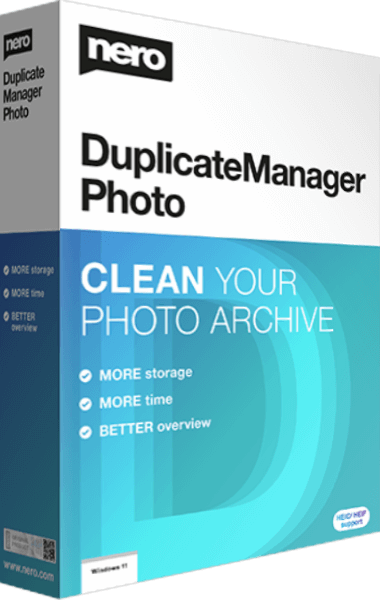
Nero DuplicateManager Photo
Find duplicate and similar photos and choose which copies to keep.
Explore more
- Ashampoo Photo Organizer Pro 26 vs Ashampoo Photo Commander Pro 27
- Ashampoo Photo Organizer Pro 26 vs Nero AI Photo Tagger 2026
- Ashampoo Photo Organizer Pro 26 vs Corel AfterShot Pro 3
- Ashampoo Photo Organizer Pro 26 vs CyberLink PhotoDirector 2026
- Explore photo editing software
- Keep independent copies of original photographs