Product comparison
Laplink DiskImage vs Acronis True Image 2026
Both tools provide system images and file recovery. This comparison focuses on Windows backup and recovery, while Acronis adds plan-dependent cloud and security services that should be evaluated separately from the core imaging task.
Feature comparison
| Task | Laplink DiskImage | Acronis True Image 2026 |
|---|---|---|
| Backup coverage | Whole-computer, drive, partition and file backups | File/folder, disk and partition backups |
| Regular jobs | Review automation in the installed Laplink build | Scheduled backups with incremental and differential methods |
| Emergency recovery | Prepared bootable recovery medium | Prepared bootable rescue medium |
| Storage migration | Cloning and machine-independent restoration | Disk cloning for replacement storage |
| Off-site storage | Plan an independent destination and check available copy controls | Acronis Cloud backup and replication depend on the selected plan |
| Additional security | Evaluate backup scope and recovery separately from endpoint security | Additional security functions depend on plan and platform |
Laplink version scope
The Laplink entry records software version 19. Its current product overview does not identify a release number, so automation, RecoveryPartition and connection-triggered functions described there should be checked in the installed build rather than assumed for every version 19 installation.
Machine-independent restoration is a recovery workflow for hardware changes. Check storage drivers, Windows startup and application activation on the destination; it does not guarantee an identical working result on every computer. Backup formats and recovery media should also be verified separately for each application.
Evaluate local recovery and online services separately
Consider Acronis True Image 2026 when the selected plan combines the local recovery workflow you need with useful cloud or security services. Verify which functions and storage entitlements belong to that exact plan.
Consider Laplink when its imaging, file backup and machine-independent restoration cover the intended recovery task. A cloud service should be assessed around access, retention and recovery rather than treated as an automatic requirement for every backup plan.
Antimalware protection and a recoverable archive address different tasks. Keep independent recovery copies and verify access credentials even if the selected application also provides security controls.
Review Laplink DiskImage and Acronis True Image 2026 for the compared catalog entries.
Check both local and off-site recovery paths
- Create a local backup and restore known sample files.
- Boot the recovery environment and confirm archive and disk visibility.
- If using cloud services, check the active plan, required credentials and accessible recovery versions.
- Test a small recovery from the intended destination before relying on it for an entire system.
These are documented workflow comparisons, not measured backup-speed or recovery-success results. Keep a backup independent of the source physical drive, retain useful recovery dates and identify the target carefully before restoration or cloning replaces its contents.
Compared products
Cards identify the compared catalog entries. Check installed versions and edition or plan entitlements separately.
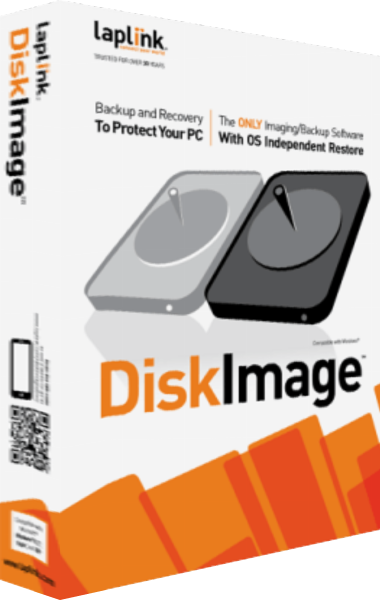
Laplink DiskImage
Create system images, back up selected files and prepare recovery workflows for Windows computers.

Acronis True Image
Back up files, create system images and prepare recovery or drive migration workflows with Acronis True Image.