Product comparison
Ashampoo Burning Studio 27 vs Nero Platinum Suite 2026
Compare a toolkit centered on optical-disc projects with a suite of separate media applications. There is overlap in disc creation and video projects, but the package decision depends on which additional tasks you need.
Feature comparison
| Task | Ashampoo Burning Studio 27 | Nero Platinum Suite 2026 |
|---|---|---|
| Disc creation | Recording, copying, images and cover design | Burning ROM provides the suite recording workflow |
| Movies and slideshows | Editing, slideshows and disc menus | Nero Video provides editing, slideshows and authoring |
| Audio | Ripping, compilations and audiobook preparation | Ripping and disc creation, with conversion tools elsewhere in the suite |
| Media library | Organizes material within disc projects | MediaHome and photo-tagging workflows for larger collections |
| Conversion and enhancement | Tools oriented around supported burning and multimedia projects | Recode and image-enhancement applications; editions vary by license |
| Backup scope | File archives, compression and disc spanning | BackItUp provides a separate backup and recovery workflow |
Choose the applications you will actually use
Consider Burning Studio when your regular work is preparing discs, music collections, slideshows and optical archives. Consider Platinum when you also need media-library organization, conversion or dedicated backup applications and want access to them through a suite.
Review Burning ROM 2026, Nero Video 2026 and BackItUp 2026 individually to check the workflows that matter. The Platinum catalog entry describes the 2026 suite; a later vendor release does not change the edition compared here.
Confirm the included application editions and license terms. Annual and lifetime packages can differ, and an application name alone does not establish access to every advanced or AI feature.
Review Ashampoo Burning Studio 27 and Nero Platinum Suite 2026 for the compared catalog entries.
Evaluate one project across the suite
- List the required outputs: a disc, an exported movie, an organized library or a recovery copy.
- Complete a small project and note which applications and file transfers it requires.
- Check that the selected license includes the editions needed for that project.
- Test the finished output or restore a small backup before moving a larger collection.
This is a workflow and package-scope comparison, not a benchmark of speed, enhancement quality or backup reliability. A finished film or distribution disc should not be treated as the only recovery copy of its source material.
Compared products
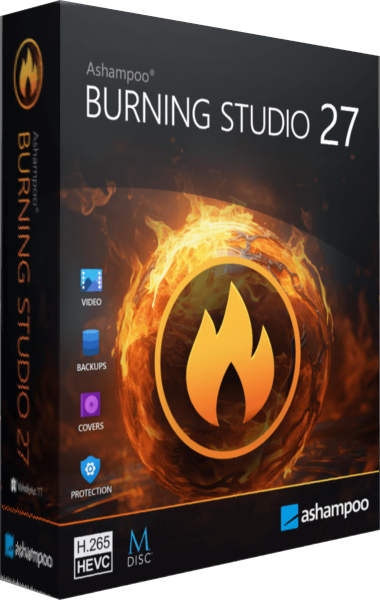
Ashampoo Burning Studio
Burn data and multimedia discs, extract audio, work with disc images and prepare file-backup projects.
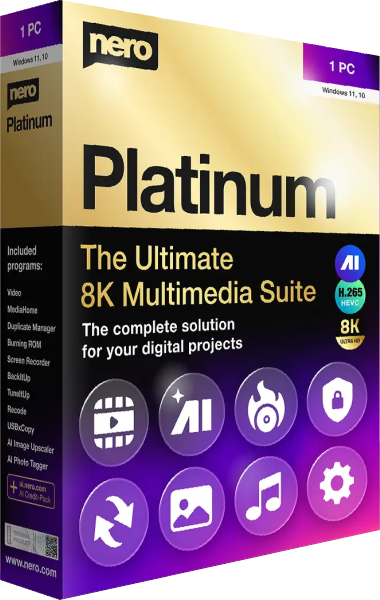
Nero Platinum Suite
Edit, organize, convert, and back up media with a multimedia software suite.