

Burn data, music and video projects to disc
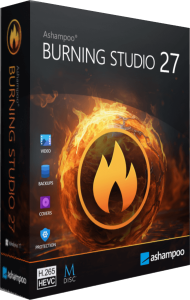
Ashampoo Burning Studio 27 combines CD, DVD and Blu-ray recording with disc copying, audio extraction and multimedia projects. Create a data archive, prepare a music compilation or assemble a movie or photo presentation in the appropriate module.
Start with how the disc will be used. A collection of files for a computer, an audio CD and a movie disc are different project types, even when they use similar blank media.
Build data discs and work with disc images
Add files and folders to a data project, review its size and choose whether to record a disc or create an image file. Supported image workflows include ISO, CUE/BIN and ASHDISC. Verification checks the finished recording for errors.
Organize folders and disc labels before writing. After recording important material, open representative files from the finished disc and retain the source until you have confirmed the result. A successful burn is not a promise of indefinite readability.
What is new for audio in version 27
Version 27 adds AAC output for ripping, higher sample-rate options up to 48 kHz in supported formats, and optional disc ejection after extraction. It also improves CD information lookup and recognition of multi-part audiobooks.
Check track names and chapter order before saving a large collection. Choose an output format your intended player supports, and compare a short sample before processing the remaining discs. A higher output sample rate does not recreate detail missing from the source.
Prepare compilations and audiobook projects
Audio compilations, audiobook tools and car-radio profiles help organize listening projects. The cover designer provides artwork for disc cases and inlays alongside the recorded material.
Decide whether the target player expects an audio CD or audio files on a data disc. Review track order, folder structure and names, then test a representative project on the intended player before producing additional copies.
Create movies and photo slideshows
The multimedia tools let you edit video, create photo slideshows and prepare disc menus. Use a video-authoring project when the goal is a navigable movie presentation rather than a disc containing source video files.
Preview the sequence and menu buttons before writing. Confirm the opening scene, audio levels and slide timing, and test the completed disc in the playback workflow where you intend to use it.
Plan file backups across multiple discs
Backup projects support compression, password protection and disc spanning when an archive exceeds a single volume. Keep the complete volume set together so it remains usable for recovery.
Label each disc with its project and sequence, store the password separately and perform a restore test. Keep another independent copy of irreplaceable data; disc archives should be part of a backup plan rather than the only copy.
Keep recurring projects easy to find
Favorites and saved project settings help return to repeated tasks. Version 27 also provides light and dark interface styles, while carousel and menu-based navigation offer different ways to reach the modules.
For related recording workflows, see Nero Burning ROM 2026. For audio editing, explore Ashampoo Music Studio 12. Our file-backup guide explains how to plan independent recovery copies.