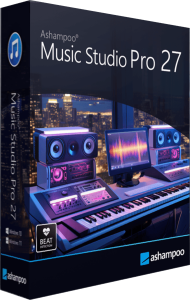


Record, edit and organize your music in one application
Ashampoo Music Studio Pro 27 combines audio recording, CD ripping, editing, conversion and music collection management. Capture a session, prepare named tracks for a player, or build a compilation with a playlist and matching cover artwork.
Choose the workflow around your source material. A long recording may need splitting and trimming; a CD collection needs consistent track information; a listening mix needs a clear sequence and transitions. Keep the original files while preparing the finished version.
Monitor recordings and separate songs more precisely
Record from a microphone, a selected application or computer playback. Version 27 adds independent monitoring volume: adjust what you hear inside Music Studio without changing the recorded audio or the global Windows volume. The recording module also opens and responds more quickly.
Automatic track separation combines audio analysis with available window-title changes to identify song boundaries. Review a short recording before starting a longer session, then check the resulting cuts and names before adding tracks to your library.
Transfer audio CDs to an organized digital collection
Rip selected CD tracks to audio files and review artist, album and title information before saving. Improved CD detection helps identify albums, while Quick Ripping reuses previous output settings for repeated jobs.
For a large collection, establish a consistent naming scheme and folder structure first. Check the output format and destination before using the quick workflow again, particularly when switching between an archival copy and files for a portable player.
Trim, arrange and preview audio across three tracks
The three-track editor lets you cut and reposition audio, preview selections in a loop and apply fades. Equalizer, normalization and tempo or pitch adjustments provide further ways to prepare recordings. Video-2-Music extracts audio from a video file for editing and export.
Listen through edits and transitions before exporting. Save the working project when you need to return to it, and keep its source files in place: the project references those files rather than replacing them with a self-contained audio archive.
Convert formats and make track information consistent
Conversion options include FLAC, WAV, Ogg and Opus, with the available choices depending on the selected function. Edit metadata and artwork, then use naming templates to organize files around information such as artist and song title.
Test an exported track on the intended player before processing a whole collection. Converting a compressed source to a lossless format cannot recover details already lost. Review tags before using them as the basis for automatic names and folders.
Create playlists, mixes and disc artwork
Create a playlist to play separate files in a chosen order, or use Mix Tape to combine songs into one file with crossfades. DJ Mix Tape also offers tempo adjustment. Audio disc burning and a cover designer help finish a physical compilation.
Check the sequence and listen to the transitions before finalizing a mix. For disc copies, match the project type to the player and review the printed track list against the finished audio.
What changes from Music Studio 12?
Compared with Ashampoo Music Studio 12, Pro 27 focuses on recording refinements: independent monitoring volume, more precise track separation, a faster recording module and improved CD recognition.
Consider these changes alongside the tasks you repeat most often. For broader disc projects, including data archives, videos and slideshows, explore Ashampoo Burning Studio 27.
Browse our audio recording and editing software category for related catalog products and music workflow comparisons.