Product comparison
Ashampoo Music Studio Pro 27 vs Ashampoo Music Studio 12
Music Studio 12 already records applications and devices, edits three tracks, converts formats and prepares music compilations. Pro 27 refines that workflow with independent monitoring volume, revised track detection and improved CD recognition. The useful question is whether those recording changes address a task you repeat.
Compare music workflows
| Task | Ashampoo Music Studio Pro 27 | Ashampoo Music Studio 12 |
|---|---|---|
| Recording sources | Microphone, selected applications and computer playback | Application and device recording with automatic title information |
| Monitoring volume | Separate in-app listening control leaves the recorded audio and global Windows volume unchanged | Earlier recording workflow; independent monitoring is a Pro 27 addition |
| Track separation | Refined audio analysis combined with available window-title changes | Automatic splitting using silence detection and title information |
| CD recognition | Improved album detection and Quick Ripping for repeated settings | Metadata merging across database entries and CD-Text support |
| Audio editing | Three tracks, loop previews, fades, equalizer and normalization | Three-track editing, loop previews, equalizer and normalization |
| Collection and output | Tags, artwork, conversion, playlists, mixes, discs and covers | Tags, artwork, conversion, playlists, mixes, discs and covers |
Which workflow fits?
Choose Pro 27 when you record regularly
Ashampoo Music Studio Pro 27 combines music preparation tools. Independent monitoring is useful when you want to adjust listening volume without changing the capture. Compare the resulting cuts and titles from a short session, particularly if your source application changes its window title during playback.
Keep Music Studio 12 in view for an established workflow
Consider Ashampoo Music Studio 12 around the tasks you repeat. If your existing setup already handles trimming, format conversion, CD extraction and compilations, review those same jobs before changing versions. Three-track editing, title analysis and tag management are shared capabilities rather than reasons on their own to move to Pro 27.
The comparison selects Music Studio 12 and Music Studio Pro 27. Pro 27 improves existing recording features; it does not introduce application recording or three-track editing to the family for the first time. Automatic names and cuts still need review.
Check a sample project
- Record a short passage from the same source in each installed version.
- In Pro 27, change monitoring volume and check that the saved recording level stays consistent.
- Inspect song boundaries and names around a title change or a quiet passage.
- Rip the same CD tracks and compare the proposed metadata before saving the files.
Keep the original audio while editing and exporting. Listen through cuts and transitions, and inspect names and metadata before processing a complete collection. Keep project files and their referenced source material together if you expect to revise the result.
Compared products
Review the selected catalog versions for your recording, editing or disc project.
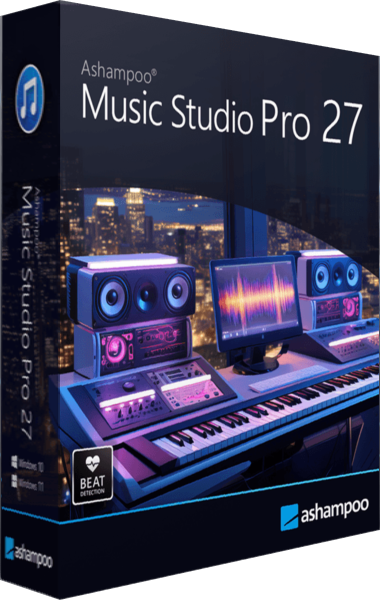
Ashampoo Music Studio Pro 27
Record, edit and convert audio, rip CDs, organize music tags and create playlists, mixes and disc covers.

Ashampoo Music Studio
Record audio, rip CDs with improved metadata, trim and mix tracks, and convert formats.