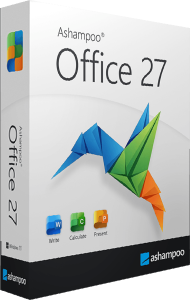

Documents, spreadsheets, and presentations with Office 27
Ashampoo Office 27 brings Write, Calculate, and Presentations together for everyday office work. Draft a report, organize figures in a spreadsheet, and turn the results into slides without changing to a different suite for each task.
Documents can be stored locally and edited offline without mandatory cloud storage. DOCX, XLSX, and PPTX are standard working formats, making it easier to exchange files with Microsoft Office users. Review complex documents after opening them, especially when their layout or specialized features are important.
Write: organize documents and review changes
Use Write for letters, reports, brochures, and longer documents. Styles, page previews, and document navigation help maintain structure as the content grows. Rather than formatting each heading separately, use a consistent set of styles to keep the document easier to revise.
Office 27 adds a drag-and-drop outline for moving headings together with their sublevels. Comment replies and resolved discussions help track feedback, while Markdown import and export provide another route for working with text from other tools.
Calculate: work with formulas and data
Calculate supports tasks ranging from a household budget to a structured business worksheet. Organize the source data, check formulas, and use charts or pivot tables to summarize patterns. Clear labels and consistent formats make a workbook easier to understand when shared.
Dynamic arrays in Office 27 allow a single formula to fill a result range. XLOOKUP, XMATCH, FILTER, and SORT expand lookup and data-selection options, while PivotCharts help visualize summarized data. These tools are useful when a worksheet needs to respond to changes in its source entries.
Presentations: build slides with a consistent design
Create slides from a template or establish layouts that repeat across the presentation. Combine text, images, charts, and media to explain one point at a time. A consistent arrangement of titles and content helps the audience follow the material.
New color themes make it easier to apply a common visual style, and automatic text fitting helps adapt content to existing frames. Review the slides after fitting text so that each page remains readable and the most important information stays prominent.
PDF graphics and everyday workflow tools
Office 27 can insert PDF content as vector graphics in all three applications. This is useful when placing an existing diagram or graphic into a document, worksheet, or slide: the inserted graphic remains scalable. It does not turn every element of a PDF into editable text or spreadsheet cells.
QR code generation, a revised ribbon, darker Dark Mode, and context menus with integrated toolbars provide additional ways to work. Choose the interface arrangement that suits your habits and keep frequently used commands close while editing.
What's new compared with Office 9?
If you use Ashampoo Office 9, compare version 27 around the work you do most often. For documents, the updates include improved DOCX compatibility, outline rearrangement, comment discussions, and Markdown support. For spreadsheets, the additions include dynamic arrays, modern lookup and filtering functions, and PivotCharts.
Presentation themes, automatic text fitting, scalable PDF insertion, and interface changes extend the workflow across the suite. Consider which additions reduce repeated work in your reports, data analysis, or slide preparation.
Prepare a report from source data to finished slides
Begin in Calculate by checking your data and building the summaries you need. Draft the explanation in Write, using headings to separate the main findings and comments to collect review feedback. Then prepare a shorter version in Presentations, with one clear message per slide.
Before sharing, check the saved files in the application your recipients will use when possible. Standard Office formats simplify exchange, while a final layout review helps catch differences in fonts, objects, or complex formatting.
Office 27 purchase options
Review the selected product and license terms in the purchase section, including the conditions for your intended use. Confirm the final checkout total before paying.