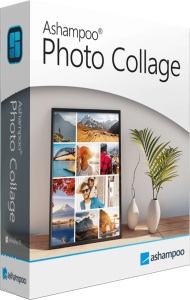





Create a collage around your photos
Ashampoo Photo Collage arranges pictures in flexible grids with text and custom backgrounds. Use it to bring a family occasion, a trip or a selection of favorite images into one composition.
Start with a small set of photos that work together. Choose a main picture and supporting images before adjusting the layout, so each photo has a clear place in the story.
Choose a size and shape the grid
Size presets cover social posts, stories, A5 and A4 paper, and common photo frames. Custom dimensions are also available. Add, split or remove cells and move dividing lines to change the grid independently of the selected size.
Give the main image more room and check whether the remaining cells suit portrait or landscape pictures. Establishing the layout first helps avoid squeezing important details into a narrow space.
Place photos and refine the crop
Drag pictures into cells, swap placed photos, then zoom and reposition each image within its cell. The photo pool can hide images already used in the collage.
Review faces, horizons and details near cell edges after changing the grid. A different cell shape can call for a different crop even when the photo itself has not changed.
Style the background, spacing and captions
Adjust gaps, outer borders and rounded corners, and customize background colors or patterns. Freely positioned text offers font, alignment and shadow controls.
Keep captions readable against both photos and backgrounds. Consistent spacing and a restrained choice of fonts can help the composition feel coherent without competing with the pictures.
Keep an editable project for later changes
Automatic saving preserves work in progress. Saved projects retain the grid, pictures, crops, styling and text for later editing.
Keep a project copy when you expect to revise a caption or replace a photo. Review the full composition at its intended size before treating a version as finished.
Prepare your pictures before arranging them
For photo correction, explore Ashampoo Photo Optimizer Pro. For organizing and editing a larger collection, see Ashampoo Photo Commander Pro 27.
Choose the source pictures first, make any needed corrections, then return to the collage layout. Browse the photo editing software catalog for related workflows.