Product comparison
Ashampoo Photo Collage vs CyberLink PhotoDirector 2026 Ultra
This is a comparison of a dedicated collage application and a broader photo-editing workflow. Photo Collage supplies adjustable grids, photo crops, captions and backgrounds. PhotoDirector 2026 Ultra provides Expert-module layer editing for manually composing images alongside photo adjustments. The comparison concerns the perpetual Ultra edition and its supported tools.
Compare composition tools
| Task | Ashampoo Photo Collage | CyberLink PhotoDirector 2026 Ultra |
|---|---|---|
| Main task | Arrange pictures in an adjustable grid with text and backgrounds | Organize and edit photographs, including manual layered compositions |
| Layout structure | Add, split or remove grid cells and move dividers | Build the composition using layers in Ultra's Expert module |
| Photo preparation | Arrange selected source images and adjust crops within cells | Photo adjustments with background and object removal; additional tools depend on edition |
| Repeated work | Reuse an editable composition and replace its pictures or captions | Ultra Batch Editor operations include crop, resize and filters |
| Editable work | Saved projects retain grid, pictures, crops, styling and text | Keep editable layer work and source images separately from delivery copies |
| Edition boundary | Dedicated grid controls described for Photo Collage | Standard lacks Expert-module layers; 365 AI Collage is outside the 2026 Ultra comparison |
Edition and workflow scope
PhotoDirector 2026 Standard does not include Expert-module layer editing. Ultra is the edition evaluated for manual composition here. The AI Collage workflow documented for PhotoDirector 365 should not be assigned to the perpetual 2026 editions.
Which workflow fits?
Choose Photo Collage for a grid-based layout task
Ashampoo Photo Collage gives each picture a cell, with direct crop adjustment and controls for spacing, backgrounds and captions. Its editable projects suit a composition you plan to revise by changing a picture, caption or grid division.
Consider PhotoDirector Ultra for manual composition and photo editing
CyberLink PhotoDirector 2026 includes Expert-module layers in Ultra. Use that edition when photo adjustments and manual arrangement of layered elements are part of the same task. Check the selected Ultra tools and inspect boundaries or removed backgrounds before accepting the composition.
A layered composition and a guided collage grid require different editing steps. Try changing a picture's placement and revising the layout to see which fits your work. Tutorials for PhotoDirector 365 can describe separate subscription features, so use instructions that match the activated 2026 edition.
Check a sample composition
- Confirm PhotoDirector Ultra before planning a layered composition, and retain the original photos.
- Build a small arrangement using the same source images and intended output dimensions.
- Inspect crops, layer boundaries and any background-removal edits at a useful zoom level.
- Keep editable work, reopen it for a revision and inspect the exported image as a separate file.
This comparison follows documented tools and workflows. We have not benchmarked layout speed, automatic editing quality or output quality using identical projects. Keep original photographs, editable work and finished copies separately, and verify the delivered image itself.
Compared products
The PhotoDirector card identifies the 2026 product line, which includes Standard and Ultra. Confirm Ultra activation before using the layer-based workflow described here.

Ashampoo Photo Collage
Create photo collages with adjustable grids, captions and backgrounds, and save projects for later editing.
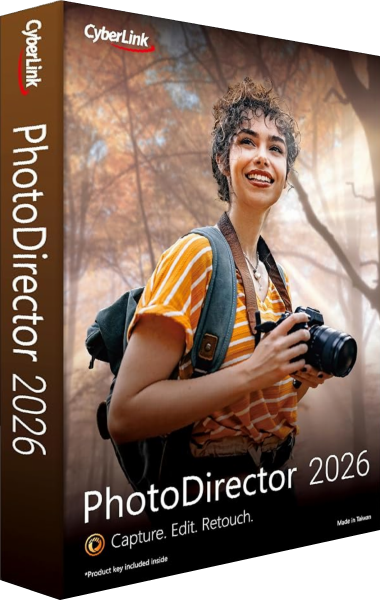
CyberLink PhotoDirector 2026
Organize and edit photographs, refine selected images and export finished pictures with tools that vary by edition.
Explore more
- Ashampoo Photo Collage vs Ashampoo Photo Commander Pro 27
- Ashampoo Photo Collage vs Corel PaintShop Pro 2023
- CyberLink PhotoDirector 2026 vs Corel PaintShop Pro 2023
- CyberLink PhotoDirector 2026 vs Ashampoo Photo Commander Pro 27
- Explore photo editing software
- Keep independent copies of original photographs