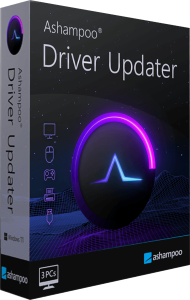





Review hardware drivers and available updates
Ashampoo Driver Updater scans installed hardware drivers and compares them with its driver database. Review suggested updates for supported devices and choose which changes to make from one application.
Start with the device or task you want to address, such as audio playback, a printer or a network connection. An available update is useful information, but a newer driver is not by itself proof that a particular problem will be resolved.
Inspect the device and version before installation
The scan results identify drivers and available versions, allowing you to update selected items or several drivers together. Driver coverage depends on the hardware and the packages available for it.
Confirm the device identity before proceeding. For a computer used for work, make changes when you can check the result afterward rather than immediately before an important task. Keep a note of the working version when investigating a recurring issue.
Keep driver backups and a recovery route
Driver backup and restore tools preserve copies of existing drivers for later use. Current releases also document installations through version history and provide rollback controls; check the functions available in your installed build.
Confirm that a usable backup exists before an update and that you know how to access recovery. A driver backup does not preserve personal documents or create a complete image of the computer, so keep those recovery needs separate.
Understand scheduling and Windows integration
The current release includes scheduling for driver checks and updates, along with direct access to Windows updates. Choose the timing and update behavior in the installed application before leaving tasks to run automatically.
Begin with a manual scan and inspect its results. After a change, test the affected hardware in its normal workflow: play audio, print a document or reconnect to the network. Review the installation history if behavior changes unexpectedly.
Distinguish driver issues from other problems
Drivers connect Windows with hardware, but crashes, interrupted connections and slow applications can have several causes. Driver Updater focuses on driver maintenance rather than providing a general diagnosis or repairing damaged hardware.
If a problem remains after an update, compare the symptoms with the previous state and investigate other causes. Avoid treating a driver scan as confirmation that the entire computer is healthy or that every application will perform better.
Choose the tool that matches the maintenance task
Explore driver update software or compare the workflow with IObit Driver Booster Pro. For broader cleanup and startup analysis, see Ashampoo WinOptimizer Pro 29.
Driver updates and application updates serve different purposes. Keep independent copies of important data before substantial maintenance; our file-backup guide explains how to plan those copies.