Product comparison
Ashampoo Background Remover 2 vs CyberLink PhotoDirector 2026
Both applications can separate a subject from its background and place it on a new backdrop. Background Remover 2 concentrates on individual cutouts with local AI processing. PhotoDirector 2026 combines background editing with photo organization and other editing tools, with important differences between Standard and Ultra.
Compare background editing
| Task | Ashampoo Background Remover 2 | CyberLink PhotoDirector 2026 |
|---|---|---|
| Main workflow | Isolate a person or object in an individual photograph | Organize and edit photographs, including background removal |
| Subject selection | Automatic detection, selection frame and correction brushes | Automatic background removal with brush refinement in Standard and Ultra |
| Background choices | Transparent, solid color or custom image, plus blur and background filters | Transparent, blurred, solid-color or image backgrounds |
| Processing several images | One image at a time | Batch Editor background removal and replacement in Ultra; absent from Standard |
| Further editing | Background effects and AI enlargement of extracted objects up to 4x | Additional photo adjustments; Expert-module layers and Image Upscaler in Ultra |
| Scope to check | Subject detection and object upscaling run locally | Perpetual Standard and Ultra differ from the PhotoDirector 365 subscription |
Which workflow fits?
Choose Background Remover 2 for individual reusable cutouts
Ashampoo Background Remover 2 suits a workflow where you isolate a subject, refine the outline and send the result to another application. Its selection frame helps direct detection toward the intended object. Local detection and upscaling can be useful when you want to process photographs on your own computer.
Choose PhotoDirector for background edits within a larger photo workflow
CyberLink PhotoDirector 2026 is relevant when background removal is one step in organizing, adjusting and exporting photographs. Both Standard and Ultra include Background Remove / Replace. For repeated background processing or layered composites, check Ultra specifically.
This comparison covers the perpetual 2026 editions. GenAI Studio services such as AI Product Background and AI People Background are listed for PhotoDirector 365, so they should not be assumed to come with Standard or Ultra. Removing an existing background and generating a new setting are different operations.
Check a sample cutout
- Use the same portrait or product image in both applications and check whether the intended subject is selected.
- Inspect hair, narrow gaps and fine edges against both light and dark replacement backgrounds.
- If you need batch processing, verify the PhotoDirector edition and test several images with different backgrounds.
- Export a transparent PNG, reopen it in the destination application and check the outline at the final display size.
Keep the original photograph and save processed copies separately. Automatic selection can omit parts of a subject or retain background fringes. Evaluate the exported result after any resizing or enlargement used in the finished design.
Compared products
Review the selected catalog products and check the PhotoDirector edition for the tools you need.

Ashampoo Background Remover 2
Remove or replace photo backgrounds, refine subject cutouts and enlarge extracted objects with local AI processing.
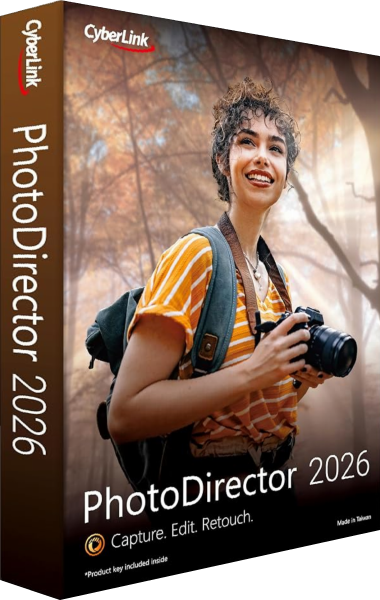
CyberLink PhotoDirector 2026
Organize and edit photographs, refine selected images and export finished pictures with tools that vary by edition.