




Avira Free Security for Windows and macOS
Protect your Windows PC or Mac with real-time antivirus and scanning. Use Smart Scan, password management, a limited-data VPN, and cleanup tools, with features varying by platform.
Use the suite to review security alerts, check suspicious files, and manage routine cleanup. Keep your applications updated and review unexpected messages carefully alongside the protection tools.
Scan for malware and review detections
Real-time protection and virus scanning help detect threats, with cloud-based analysis supporting recognition of emerging malware. Quarantine separates detected items so you can review them before taking further action.
Read the detection details rather than automatically restoring a flagged file. Antivirus reduces risk but cannot guarantee that every harmful file or deceptive message will be identified.
Review security and cleanup findings with Smart Scan
Smart Scan checks your computer for security, privacy, and performance issues in one workflow. Use the results as a starting point for deciding which items need attention; available checks and actions can vary between Windows and macOS.
Inspect the available actions before applying them. A detected issue and its proposed remedy are separate steps; check whether the action is included in the free edition and whether it suits your situation.
Use the VPN within its monthly allowance
The included VPN provides 500 MB of data per month. It encrypts traffic between your device and the VPN service, making the allowance suitable for occasional use rather than extended streaming or large downloads.
A VPN does not make every online activity anonymous or protect an account after you disclose its password. For a dedicated VPN option, compare Avira Phantom VPN Pro and review its features for the device you use.
Create different passwords for your accounts
The password manager helps generate and manage strong, unique passwords. Using a different password for each account reduces the chance that a leaked password will also unlock another service.
Keep access to the password manager secure and enable additional account verification where available. Be cautious when entering credentials on a page reached through an unexpected message.
Remove unnecessary files with cleanup tools
Cleanup tools help identify unnecessary files that can be removed to free storage space. The available tools and cleanup options differ between Windows and macOS. Review the selection before cleanup, especially when you are unfamiliar with a file or category.
Cleanup can reclaim space, but a faster computer is not guaranteed by deleting files alone. Keep important documents and backups separate from temporary material you intend to remove.
Free Security and Avira Prime
Free Security provides a starting point for antivirus, privacy, and cleanup tasks. The VPN allowance and the scope of included actions matter when deciding whether it covers your everyday use.
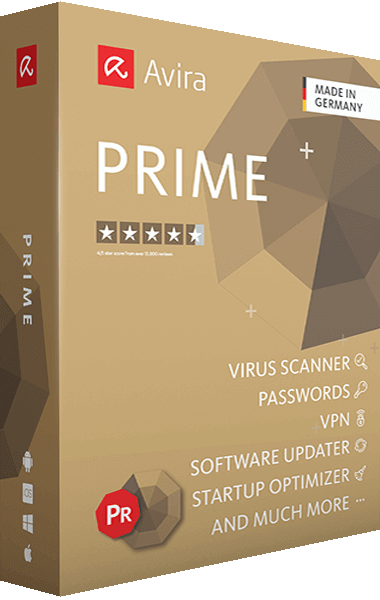
For a broader subscription suite, compare Avira Prime. Review the current feature list for your device and distinguish included tools from features offered as upgrades.
Check the edition before installing
Choose the Windows or macOS edition for your computer. Both editions provide antivirus protection alongside privacy and cleanup tools, but their utilities, interface, and available actions can differ.
Confirm the selected edition and installation options, then review its settings after setup. Keep protection enabled and return to scan results when the application reports something that needs attention.