CorelDRAW Standard 2020

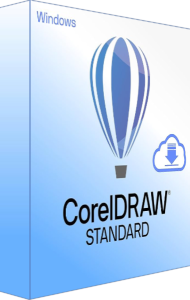
CorelDRAW Standard 2020 3D boxshot

Graphic design software for your hobby or home business

CorelDRAW Standard provides graphic design tools for hobbyists and home businesses. Develop artwork and layouts for everyday creative projects.

Related Products

CorelDRAW Standard provides graphic design tools for hobbyists and home businesses. Develop artwork and layouts for everyday creative projects.

All-in-one design and layout
CorelDRAW Standard provides significant capabilities for graphic design and layout in a single application.
Flawless photo editing
Improve any image with the powerful layer-based photo editing features in Corel PHOTO-PAINT Standard
Easy to use
Create confidently with intuitive tools, tips, and tutorials at your fingertips - no matter your skill level or area of expertise.

CorelDRAW Standard 2020 what’s included?

Pair your imagination with this versatile suite of illustration, layout, and photo editing applications to create impactul designs for a multitude of purposes.

CorelDRAW Standard 2020
Find the vector illustration and page layout tools you need to tackle any project and produce results you’ll be proud to share.
Corel PHOTO-PAINT Standard 2020
Create captivating images with impressive photo-editing capabilities and controls.
Royalty-free, quality content
Keep your designs fresh with 1, 000 clipart and digital images, 100 royalty-free, high-resolution photos, 175 fonts, 20 photo frames, 900 fills, and 60 professionally designed templates.

Tools that promote creativity

Create your best work with a toolbox of user-friendly features for graphics, layout, illustration, tracing, photo editing, web images and art.

Vector illustration
Turn basic lines and shapes into complex works of art. Create curves with many versatile shaping and drawing tools.
Page layout
Create layouts for brochures, multi-page documents and more. Use rulers, grids and guidelines to help you organize objects and place them exactly where you want.
Typography
Arrange type beautifully with an array of text tools. Add drop shadows and other effects to text.
Object management
Control every element in your document with a handy Objects docker, letting you hide, rename, search for objects and change their stacking order. Use the Object Properties docker to manage object formatting, fills, and more.
Photo editing
Retouch and enhance your photos with Corel PHOTO-PAINt’s powerful layer-based photo editing tools. Adjust color and tone, apply effects, remove imperfections, and more.
Color, fills and transparencies
Easily apply color to fills and outlines using color swatches. Change the transparency of an object and fill objects with patterns, gradients, and more.
File compatibility
Import, export and share your designs with ease thanks to a variety of compatible market-leading file formats.
Bitmap to vector tracing
Save time with PowerTRACE Quick Trace, when you want to turn a scanned sketch or low res image into a vector graphic that can easily be scaled with no loss of quality.
Web graphics tools
Develop captivating web content with a collection of web graphics tools and presets. Ensure any graphic you export for the web has crisp edges with a series of pixel-perfect tools.
Creative templates
Try a variety of professionally designed creative templates to quickly create certificates, ads, business cards, letterhead, flyers, posters and more, without having to start from scratch.

Previous product versions

Editorial rating by Find Your Software: 4.8 out of 5

CorelDRAW Standard 3D boxshot

CorelDRAW Standard

A newer edition is available

Create home and small-business graphics with CorelDRAW Standard illustration and layout tools.

Learn more about CorelDRAW Standard