




Ashampoo 3D CAD Professional
A newer edition is available
Develop floor plans, arrange electrical symbols, and visualize buildings and interiors.
Learn more about Ashampoo 3D CAD Professional
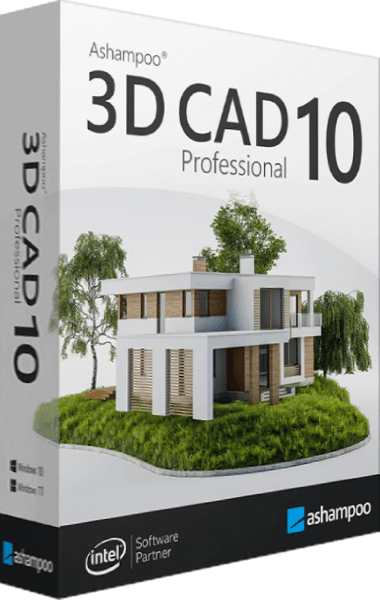
Building design, terrain modeling, and automatic dimensions
Ashampoo 3D CAD Professional 10 combines building design with terrain modeling, automatic 2D dimensioning, and photovoltaic layout planning. Import SketchUp or Collada objects and export drawings in DXF or DWG format.
Ashampoo 3D CAD Professional 10 provides CAD tools for architecture, interior design, landscaping, and drafting.
Develop a building layout, furnish rooms, and inspect the result in 3D. Dimensioning, terrain calculations, and export tools support the work from planning through presentation.
The expanded catalog includes doors, balconies, retaining walls, and terrain elements. Place these objects in a project to develop interior and exterior designs.
Create terrain elements with 3D borders and fences. Adjust their position, rotation, and scale through the north arrow dialog.
Choose a railing style from the catalog and adjust it in the railing editor to suit the project.
Generate dimensions for walls, windows, and other elements in 2D floor plans and views.
Model additional components and sculptural elements for your building designs.
Use the catalog of 3D objects and ready-made groups to add building components, kitchen units, garages, garden sheds, and other furnishings.
Import, edit, and save supported 3D object formats, including SketchUp and Collada models.
Inspect designs in 3D, adjust door opening angles, and add shutters and blinds to windows.
Calculate terrain volumes, door dimensions, and foundations to prepare measurements for a building project.
Lay out photovoltaic modules on rooftops or flat roofs. Select modules from the catalog, adjust panel spacing, and rotate the installation.
Export drawings in 2D DXF or DWG format and prepare models for Maxon Cinema 4D.
Choose classic toolbars or ribbons and access tools through a thematically organized interface.
Use input aids and wizards for tasks such as roof design and terrain modeling.
Add building components, textures, materials, and symbols from the object catalog to develop interior and exterior plans.
Ashampoo 3D CAD Professional 10 is the ultimate home design solution for professionals, empowering them to create, visualize, and communicate their design ideas with precision, creativity, and professionalism.
Editorial rating by Find Your Software: 4.8 out of 5
A newer edition is available
Develop floor plans, arrange electrical symbols, and visualize buildings and interiors.
Learn more about Ashampoo 3D CAD Professional