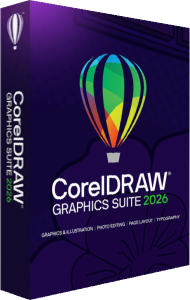

CorelDRAW Graphics Suite 2026 overview
Explore CorelDRAW Graphics Suite 2026 for vector design, page layout, and photo editing, with new AI tools and subscription or perpetual license options.
Included applications
- CorelDRAW
- Professional vector illustration and page layout for logos, illustrations, marketing materials, and complex design projects.
- Corel PHOTO-PAINT
- Powerful image editing and pixel-based design, seamlessly integrated into your CorelDRAW workflow.
- CorelDRAW Web
- Subscribers can access their designs and keep working directly in a browser.
- Corel Font Manager
- Find, organize, and manage your fonts without interrupting your creative workflow.
Creative assets and font libraries
CorelDRAW Graphics Suite combines professional design applications with a large library of creative assets.
Your creative toolkit includes:
- 7,000+ clipart images, digital images, and vehicle wrap templates
- 1,000+ high-resolution photos
- 1,000+ TrueType and OpenType fonts
- Access to 1,700+ Google Font families
- 200+ professionally designed templates
- 600+ fills
- 100+ Painterly brushes
- Integrated Pantone libraries
- AI credits for generative features
Desktop, web, and cloud access
- Desktop
- Get the full professional design experience on Windows and macOS.
- Web
- With a subscription, open your projects in a browser and keep working wherever you are.
- Cloud
- Subscription cloud storage keeps your projects available online.
AI tools for vector and image editing
It should help you explore ideas faster, automate repetitive tasks, and spend more time on the creative decisions that matter.
- Turn text into vectors
- Describe what you want and generate editable, scalable vector graphics that you can refine directly in CorelDRAW.
- Generate images from a prompt
- Turn a simple text description into visual concepts and creative starting points.
- Remove backgrounds in seconds
- Automatically isolate subjects from their backgrounds — even when dealing with complex details.
- Create AI-powered masks
- Select and isolate objects faster, then fine-tune the results whenever you need precise control.
Design projects for print and digital media
CorelDRAW is built for real-world design and production — not just creating something that looks good on screen.
- Branding & marketing
- Create logos, brand assets, campaigns, presentations, promotional materials, and more.
- Print & large-format graphics
- Design signs, banners, posters, displays, packaging, and other print-ready materials.
- Apparel & textiles
- Create artwork for screen printing, embroidery, apparel, and digital textile production.
- Retail & e-commerce
- Produce marketing assets, POS materials, product graphics, and content for online stores.
- Technical design
- Build precise diagrams, illustrations, maps, schematics, and other technical visuals.
What’s new in CorelDRAW Graphics Suite 2026?
Compared with CorelDRAW Graphics Suite 2025, the 2026 release adds generative AI, assisted background removal, and AI masking. It also refreshes the interface and improves startup and stability.
Enhanced PowerTRACE
Updated tracing improves object structure and color handling when converting bitmap artwork into editable vectors.
New browser workflows
CorelDRAW Web subscribers can upload custom fonts and export DWG and DXF files.
Subscription vs. perpetual license
Explore other CorelDRAW editions
Compare this suite with CorelDRAW Standard 2024 for home and small business projects, CorelDRAW Essentials 2024 for occasional graphics, or CorelDRAW Technical Suite 2024 for technical documentation.
CorelDRAW 2026 FAQ
Do I need AI experience?
No. AI-powered tools are designed to be accessible through simple text prompts and are integrated directly into the CorelDRAW and Corel PHOTO-PAINT workflows.
Can I edit AI-generated results?
Yes. For example, text-to-vector generates scalable, editable vector graphics that you can continue refining in CorelDRAW.
Does CorelDRAW work on Mac?
Yes. CorelDRAW Graphics Suite is available for Windows and macOS, with CorelDRAW Web available through your browser.
What's included in CorelDRAW Graphics Suite?
The suite includes CorelDRAW, Corel PHOTO-PAINT, Corel Font Manager, and CorelDRAW Web for subscribers, along with creative content and AI credits.
Compare CorelDRAW suites
Read our CorelDRAW Technical Suite 2026 vs Graphics Suite 2026 comparison to choose between general design and technical documentation workflows.