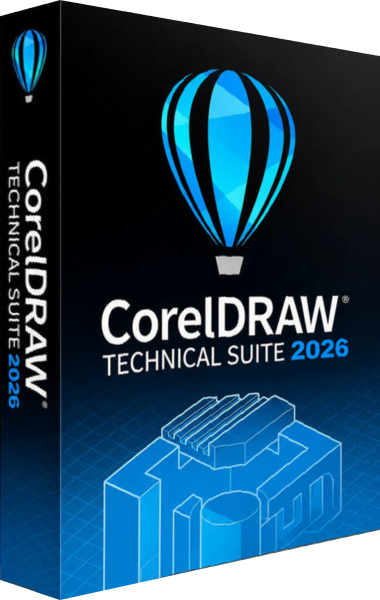




Technical illustration for manuals and visual instructions
CorelDRAW Technical Suite 2026 combines technical illustration, graphic design and photo editing for documentation teams. Use it to prepare assembly instructions, illustrated parts information, maintenance guides and other documents where a clear view of a product matters.
The workflow starts with source material and ends with an illustration that a reader can follow. Plan the view, labels and level of detail around the task being explained, rather than carrying every engineering detail into the finished page.
Create precise drawings with Corel DESIGNER
Corel DESIGNER provides dedicated technical drawing tools, including projected drawing, dimensions and callouts. These help present components and explain how parts relate to one another.
Use a consistent naming scheme for callouts and compare them with the accompanying instructions. Before delivery, check units, leader lines and label placement at the size readers will actually see.
Reuse 3D models as illustration starting points
The included XVL Studio Corel Edition lets you work with supported 3D models and bring views into Corel DESIGNER as 2D vector graphics. It provides a route from existing model data to an illustration you can refine.
Advanced native CAD assembly support belongs to the separate CorelDRAW Technical Suite 3D CAD edition. Check the exact source format and edition before planning a model-based workflow; the standard suite does not include every advanced CAD capability.
Combine drawings, layouts and photographs
CorelDRAW handles vector graphics and page layout, while Corel PHOTO-PAINT provides image editing. The suite also includes Corel Font Manager for organizing fonts.
For a service document, use a drawing to identify parts and a photograph to show the real installation context. Keep labels, type sizes and colors consistent across both so readers can move between views without relearning the visual language.
Prepare technical output for publication
Technical output options include CGM and SVG alongside PDF workflows. Select the format and profile required by the receiving documentation or publishing system.
An export setting alone does not establish compliance for an entire publication. Check the delivered file in its destination workflow, including fonts, line weights, symbols and any links used for navigation. Keep the editable illustration separate from the published output.
Refine imported artwork with the 2026 tools
The September 2026 update revises PowerTRACE, with image preparation controls, improved color handling and commands for reusing trace settings. It also improves font matching.
Tracing can help turn an existing bitmap into editable artwork, but inspect the result before treating it as a technical drawing. Compare outlines and small details against the source, and verify dimensions independently rather than deriving them from a traced image.
Choose a suite around your documentation work
Technical Suite is intended for teams that need dedicated technical illustration alongside general design tools. For broader graphic design tasks, compare the focus of CorelDRAW Graphics Suite 2026. Explore the Corel software catalog for other creative workflows.
Before starting a project, agree on the source files, required deliverables and review process. Keep a checked master illustration and record changes so that an updated component does not leave an older drawing in the next manual.
Compare CorelDRAW suites
Read our CorelDRAW Technical Suite 2026 vs Graphics Suite 2026 comparison to choose between general design and technical documentation workflows.