



Corel PDF Fusion: bring separate files into one document
Put a report, a spreadsheet, presentation pages and supporting images into a single PDF. Corel PDF Fusion combines document assembly with text corrections, page tools and conversion, so you can prepare a document from material you already have.
Explore the workflow below, read the frequently asked questions, or go to the purchase section to review the offer.
Build a document around the pages you need
Drag supported files into the workspace and bring selected pages together. This approach suits meeting packs, project handovers and reports that draw on several sources.
- Gather the material: open the documents and images you want to use.
- Assemble the pages: choose the relevant content and arrange it in the order your reader needs.
- Refine the layout: rearrange, rotate or crop pages before preparing the final file.
Use Assembly view to organize pages across documents, Page view for closer inspection and corrections, and Flick view to browse a document's layout.
Make corrections and guide the reader
- Text corrections
- Select a line to correct existing text, or add new text where needed. Editing depends on the document's content and permissions.
- Comments and markup
- Add comments, highlights and sticky notes to identify passages that need attention during a review.
- Navigation
- Add bookmarks and links between pages to help readers move through a longer document.
- Finishing tools
- Add a watermark or use redaction tools for selected text or areas, then inspect the saved document before distributing it.
Choose how to create and convert files
Save documents in PDF, PDF/A, XPS or DOC format according to the output you need. You can also create a PDF through the print command in an application that supports printing.
For a group of source files, use Corel PDF Batch Converter to process multiple files together. Review the resulting layout, fonts and page order, especially when the source contains tables or columns.
Keep your original source documents for later revisions and use the converted copies for the next step in your workflow.
Understand the scope of file support
PDF Fusion can open more than 100 supported file types, including document, spreadsheet, presentation and image formats. Viewing a source file and creating an output document are different tasks; opening a format does not provide every editing tool from its original application.
For a closer look at different approaches, read the comparison of Ashampoo PDF Pro 5 and Corel PDF Fusion. You can also browse the PDF software category to choose tools around your document workflow.
Buying PDF Fusion
- Review the current offer in the purchase section.
- Use the purchase button to continue to the linked shop.
- Confirm the product, license, language, delivery details and order terms before paying.
Find Your Software is an independent information website. We may receive a commission when you buy through our links. The linked shop handles checkout, payment and your order.
Editorial rating by Find Your Software: 4.8 out of 5
Frequently asked questions about PDF Fusion
Answers to common questions
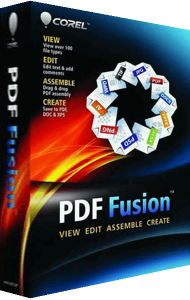
What is Corel PDF Fusion used for?
It combines pages from supported files into documents, provides tools for correcting text and organizing pages, and converts documents for sharing or further work.
Can I combine different file types into one PDF?
Yes. You can bring pages from supported documents, spreadsheets, presentations and images into one PDF, then arrange them in the order you want.
Can I correct text and add review notes?
Yes. PDF Fusion supports text corrections and new text, along with comments, highlights and sticky notes. The available corrections depend on the source content and document permissions.
Which output formats are available?
PDF Fusion supports PDF, PDF/A, XPS and DOC output. Choose the format for your next task and check the converted document's layout before sharing it.
Can I convert several files together?
Yes. Corel PDF Batch Converter processes multiple source files in a batch. You can use it when several documents need conversion rather than assembling them into one file.
Who processes my purchase?
The linked shop processes your order and payment. Find Your Software provides independent product information and may receive a commission from your purchase.