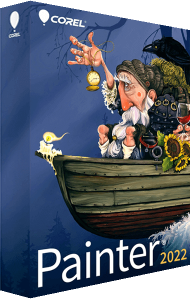
Painter 2022. Anything but ordinary.
Create next-level results with trusted, professional digital art software. Sketch, paint, illustrate and produce unparalleled photo-art with hundreds of impeccably realistic artist-created brushes, superior blending, and an array of versatile art tools.
What’s new in Painter 2022?
- Stamp-type brush customization
- These popular brushes have received a versatility overhaul. Change shape, edge effects, rotation, squeeze and anti-aliasing plus, create, add, import, export, organize and export dabs in record time!
- Watercolor brushes and workflow
- New Watercolor compatible brushes and workflow optimize the painting experience. Paint with dry media types on Watercolor layers to achieve new and exciting mixed-media looks.
- Brush library experience
- Reap the benefits of a refined brush library. Enjoy new categories, variants and brush previews plus, now you can easily find, filter and favorite beloved brushes for easy access from the Brush Selector.
- Brush size selector
- Choosing brush size has never been so speedy and visual. Just open up the Size Library and add, reorder, delete and change size preview to accommodate your workflow.
- User requested enhancements
- After reviewing your valuable feedback, we have made many layer workflow and other enhancements to boost your productivity.
Experience brushes with greatness!
Sketch, paint, and create digital artwork with Painter 2022. Explore digital brushes and painting tools to develop illustrations and original artwork.
- Thick Paint
- Add depth, texture, or movement to your art that is virtually indistinguishable from traditional media.
- Watercolor
- Experiment with paint that will flow, mix, absorb and evaporate just like the real thing.
- Pastel
- Choose from hard variants that reveal texture to soft media that glides on to cover just when you need it.
- Particles
- Physics-inspired brushes spring, flow and glow as they dynamically embellish your canvas.
- Sargent
- Some of the most beloved brushes in Painter result in luscious strokes in the spirit of John Singer Sargent.
- Liquify
- Artfully apply the brush effects of your choice to create fantastical elements in your art.
- Airbrushes
- Paint with brushes that respond to angle, bearing, and flow data from a stylus, allowing for a truly realistic brushstroke.
Painter 2022 - Compatibility
- Photoshop
- Preserve file content with ease when transferring files between Photoshop and Painter.
- Drawing tablet
- Support for stylus tilt, rotation, bearing & pressure control creates the most natural painting experience.
- Mac/PC
- Whether you’re a Mac or PC person, we support both platforms with licensing and subscription options to suit you.
Professional painting software built by artists for artists to create and develop their signature style.
- Illustration
- Bring ideas to life for published materials, fantasy art, films, games and manufacturing using the most diverse digital art software.
- Fine Art
- The mixture of realistic natural media and unique Painter artistic tools offer the freedom to create amazing end results no matter what the subject matter.
- Photo Art
- Use artificial intelligence to jump start the painting process. Next, use Auto-Painting and cloning tools to masterfully paint images and produce stunning keepsakes or sellable works of art.
- Concept Art
- Take advantage of Painter’s versatility to quickly develop concepts for films, games and manufacturing and create environments, creatures and vehicles that inspire.
Painter 2022 - Composition
- Brush controls
- Modify brush size, shape, angle, flow and so much more with in-depth brush control panels
- Canvas control
- Pan, zoom, rotate and apply lighting and surface texture with ease
- Color mixing
- Use the Color Wheel, Mixer, Color Sets and Harmonies to craft the perfect color palette
- Composition tools
- Establish appealing compositions using Divine Proportion, Layout Grid, Perspective Guides and Mirror Painting tools
- Unique content
- Enhance your artwork by using Papers, Flow Maps, Patterns, Textures, Gradients, Nozzles, Looks, Weaves, Images and Selections.
- Unparalleled Photo Art
- Stylize any image or photo using artificial intelligence and easily transform photos into paintings with powerful auto-painting and cloning tools.
Painter 2022 - Workflow
- Customization
- Create custom brushes, palettes and workspace layouts plus import custom content from others
- Performance
- Run the enhanced Brush Accelerator, which makes the most of your computer’s hardware and graphics card, to deliver the best possible painting experience with one click.
- Wacom compatibility
- Painter and Wacom are built to work together and take advantage of stylus pressure, tilt, bearing & rotation.
Apple support
Improve your overall Mac workflow in big ways! We now run on M1 with Rosetta 2 support.
- Touch Bar Support
- On MacBook Pro and iPad, increase efficiency with new support for the Touch Bar that offers context-sensitive controls that change depending on the selected tool.
- Multi-touch Trackpad support
- Responsive multi-touch Trackpad support allows you to perform useful actions by swiping and pinching, or spreading your thumb and forefinger on your trackpad.
- Sidecar Support
- Use Sidecar on macOS to use your iPad as a secondary display that mirrors your Mac desktop. The Painter UI will auto-adjust based on the resolution of your iPad.
- Apple Pencil Tilt
- With new tilt support for Apple Pencil, you can now tilt the selected brush while you paint to precisely control the shape of the brushstroke while using Sidecar.
- Core ML support
- Painter uses the latest and greatest machine learning (Core ML) technology from Apple to optimize your AI style experience.
