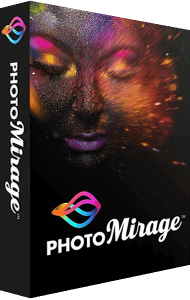


Transform any image into a captivating animation in three simple steps
Corel PhotoMirage adds motion to still photographs. Select areas to animate and prepare moving images from your photo collection.
- Animate
- Drag and drop Motion Arrows over the parts of the image you want to move
- Isolate
- Plot Anchor Points around the areas you want to keep still
- Preview
- Hit Play to watch your image transform into a looping animation, then save or share
Boost social media engagement
Moving images have viral appeal. Not only do they engage an audience’s emotions, but they also spark intrigue. They are like an illusion - not quite a photo and not quite a video.
PhotoMirage is the extraordinary tool that helps you break through the visual clutter. It’s easy to create scroll-stopping, share-worthy photo animations that will capture and hold the attention of viewers, and advance your social media game.
Drive results with stand-out web content
Get noticed in a whole new way! Use the hypnotic appeal of photo animation to remedy decreasing attention spans and an overabundance of static visual content. PhotoMirage provides a refreshing way to attract attention in a competitive digital landscape.
Use PhotoMirage to create an original animated background for your website or blog, and watch your conversions grow.
More effective than images
- Hold attention longer
- Convey emotions better
- No skill level required
- No pre-planning required
- Attract more views on social media
- No need to start with a video file, just a single image
Indulge in an addictively fun, creative process
Get lost in the process of creating the perfect animation using one of your favorite photos. Crop, mask, and enhance your image before adding movement. Experiment, refine and perfect your artwork until you have a seamless looping animation.
Professional-looking photo animations in minutes
Click, drag and drop Motion Arrows in the direction you want your image to move. Plot Anchor Points around the areas you want to keep still. Adjust desired speed with an easy slider control, then bring it altogether with a preview to watch your photo come to life!
Share to social media, email or web
Share your photo animations with family, friends and the world! It’s easy to export for various social and sharing platforms including Instagram, YouTube, Facebook, Vimeo, Flickr, Twitter, Pinterest, Snapchat, Google Photo and SmugMug. Plus, you can also share through email and to the PhotoMirage user gallery. Choose the Custom export option to control size, animation duration, quality, and more.
Support for popular photo and video formats
Start with a JPEG, GIF, PNG, BMP, TIFF, or RAW photo, and finish with a WMV, MP4 or GIF. PhotoMirage supports a broad selection of input formats making it easy to animate any photo. Choose from popular video and image file types when saving, so your photo animation plays nearly anywhere. Enjoy a smooth finished product with 60 frames per second output, and ultra high definition resolution with support for 4K.
Indulge in an addictively fun, creative process
Get lost in the process of creating the perfect animation using one of your favorite photos. Crop, mask, and enhance your image before adding movement. Experiment, refine and perfect your artwork until you have a seamless looping animation.