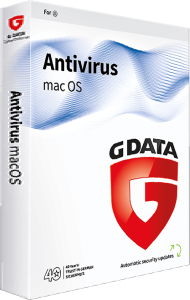
Protect everyday Mac activity with G DATA Antivirus for Mac 2025
G DATA Antivirus for Mac 2025 provides malware scanning, phishing protection, and quarantine for macOS. It combines background monitoring with manual checks for files and removable media.
Whether you exchange work documents, download files, or connect an external drive, make protection part of your routine. Review alerts before opening a suspicious item or passing it to someone else.
Combine real-time protection with manual scans
Real-time scanning monitors file activity. For a targeted check, drag a file, folder, or removable-drive icon into the application window to start an on-demand scan.
For example, scan a shared USB drive before copying its contents into a project folder. A manual check gives you a specific result to review; it does not establish that every file is harmless.
Review suspicious files in quarantine
Quarantine isolates detected or suspicious files for review. Check the detection and the file's origin before deciding what to do next.
If a document you expected is flagged, ask the sender for a fresh copy through a trusted contact method. Avoid restoring a file just because its name looks familiar or you need it urgently.
Use phishing protection when browsing
Web protection helps identify harmful links and deceptive sites that seek account or payment details. Check that browser protection is enabled in the browser you use.
Before signing in, inspect the address and how you reached the page. For an unexpected account warning, open the service through your usual bookmark instead of following the message link.
Check files before sharing them with Windows users
The scanner detects Mac and Windows malware. Windows-threat detection is useful when files move between different computers through shared folders or removable storage.
A file you do not run yourself may still reach someone who can open it. Review detections before forwarding files, and tell the recipient if an attachment appears suspicious.
Keep protection current and preserve recovery copies
Automatic updates refresh the application and malware information. Check the protection status periodically rather than assuming that updates have completed.
Keep separate backups of important documents and photos, and test restoration. Antivirus protection helps detect threats; recovery copies also address accidental deletion and storage failure.
Choose protection around the devices you use
For a Windows PC, see G DATA Antivirus for Windows 2025. For a broader device license, compare G DATA Internet Security 2025 and review the selected coverage.
Features differ by platform. Do not assume that Windows tools such as BankGuard, a suite firewall, or password management are included in this Mac application. Check the device count and license duration before choosing.