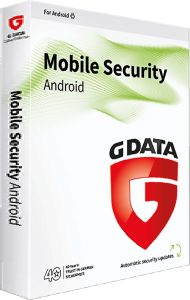
Protect everyday mobile activity with G DATA Mobile Security for Android
G DATA Mobile Security for Android combines malware scanning, app permission checks, phishing protection, and anti-theft tools for Android smartphones and tablets. It focuses on the device you use for messages, accounts, photos, and everyday browsing.
Start by reviewing the protection settings and alerts on your own device. Configure recovery access before you need it, and check the selected license for device coverage and duration.
Check downloaded files and suspicious apps
The cloud-connected malware scanner checks for threats such as viruses, Trojans, and spyware. Use scanning alongside careful choices about where you obtain apps and files.
If an unfamiliar download triggers a warning, review its source before opening it. A recognizable app name or icon does not establish that the package is authentic.
Understand the permissions your apps request
App control analyzes installed-app permissions and highlights potentially inappropriate access. Password protection can also restrict access to selected apps.
Compare a permission request with the task you expect the app to perform. For example, consider why a simple utility wants access to contacts or messages before granting it. App locking adds a layer of access control; keep the device screen lock configured as well.
Review links before entering account details
Phishing protection helps block malicious or fraudulent websites. This is useful when a link arrives through a message or directs you to an unfamiliar sign-in page.
When a message claims an account needs urgent attention, open the service through your usual app or bookmark. Check the destination before entering credentials or confirming a payment.
Prepare anti-theft tools before a device goes missing
Anti-theft features include locating a device through G DATA Action Center and remote data erasure. Configure the available controls and account access while the device is in your possession.
Location and remote commands depend on device availability and configuration. A previously reported position may be out of date; do not assume a switched-off device can provide a live location. Review any erase command carefully because it can remove data you still need.
Keep important mobile data recoverable
Protection against malware and tools for a missing device serve different purposes from backup. Keep recovery copies of important photos and documents outside the phone or tablet.
Check that you can recover those files and access essential accounts from another trusted device. This preparation helps if the device is damaged, unavailable, or must be erased.
Compare coverage across your devices
If you also use an iPhone or iPad, see G DATA Mobile Security for iOS and review the features available for that platform.
For a broader device license, compare G DATA Internet Security and G DATA Total Security . Review the selected coverage and the application provided for each platform.
Android functions differ from the Windows and Mac applications. Do not assume that Windows firewall, backup, or password-management tools are included in this Android app.