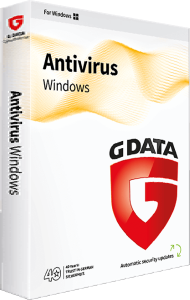
Protect your PC with G DATA Antivirus for Windows 2025
G DATA Antivirus for Windows 2025 combines malware scanning with behavior monitoring and protection for everyday email, banking, and file activity. It is a focused choice for a Windows PC when you want antivirus protection without the additional utilities of a broader suite.
Use the sections below to understand the protection layers and compare editions. Review the selected license for device coverage and duration before choosing.
Detect malware through scanning and behavior analysis
Signature scanning identifies known threats, while DeepRay uses AI-assisted analysis to identify disguised malware, while BEAST analyzes system behavior to detect malicious activity. These technologies complement file scanning by examining more than a file's name or appearance.
When a downloaded file triggers an alert, check where it came from and whether you expected it. Review detections before creating an exception, especially for software received through unsolicited messages.
Check email attachments and vulnerable applications
Email scanning checks incoming messages and attachments for suspicious content. Exploit protection adds a layer against attacks that misuse vulnerabilities in applications such as document readers.
A familiar sender name does not establish that an attachment is safe. If a message unexpectedly asks you to open a document or sign in, verify the request through a contact method you already know. Continue updating your browser and applications alongside antivirus protection.
Use BankGuard for online banking protection
G DATA BankGuard helps protect the browser against manipulation by banking malware. It addresses threats that interfere with online transactions.
Before confirming a payment, inspect the recipient, amount, and purpose. Be cautious with requests to change payment details or transfer money urgently, even when the request appears to come from a familiar organization.
Add ransomware protection to a recovery plan
Anti-ransomware protection monitors activity associated with malicious file encryption. This provides another detection layer for documents, photos, and other personal files.
Keep separate recovery copies of important files and periodically check that you can restore them. Antivirus detection and a backup serve different purposes: one helps identify harmful activity, while the other gives you a recovery option after data loss.
Review unexpected USB keyboard activity
USB Keyboard Guard addresses manipulated USB devices that impersonate keyboards. A device that looks like a storage drive can attempt to send keyboard commands instead.
Pay attention to prompts when connecting unfamiliar hardware. Confirm what you connected before accepting a device as a keyboard, and avoid approving a prompt solely to dismiss it.
Compare Antivirus with the broader G DATA suites
Choose around the tasks you need to cover. G DATA Internet Security 2025 adds Windows tools such as a firewall, parental controls, and cloud backup. G DATA Total Security 2025 extends the suite with password management, encryption, and additional utilities.
If you are choosing protection for another platform, review that application's own features. The Windows functions described here should not be assumed to apply identically to a Mac or mobile device.
Compare antivirus protection
Compare malware detection, email scanning and additional Windows protection controls in our iolo System Shield vs G DATA Antivirus for Windows comparison.