
MindManager Essentials: mind mapping for individual projects
Give your next idea a structure you can work with. MindManager Essentials is the web version of MindManager for individual planning and productivity. Use it to organize a brainstorm, outline a project, or bring scattered notes together in a visual map.
Explore the tools below, read the frequently asked questions, or go to the purchase section to review the subscription offer.
Move from a brainstorm to a workable plan
Start with a central topic and add branches for the questions, tasks, or ideas around it. Rearrange topics as your thinking develops, then add notes and links so the details stay with the right part of your plan.
- Capture ideas before sorting them
- Collect rough thoughts in one map. Group related topics later instead of deciding on a final outline at the start.
- Turn a topic into a next step
- Use task information and priority markers to distinguish actions from background notes and see what needs attention.
- Keep the map readable
- Use filtering to focus on selected information while retaining the wider context of your project.
Choose a diagram that fits the question
A branching map works well for exploring a subject. Other layouts help you explain a sequence, arrange responsibilities, or investigate a problem.
- Mind maps for brainstorming and outlines
- Flowcharts for processes and decisions
- Organizational charts for roles and relationships
- Timelines for plans and milestones
- Concept maps for connected ideas
- Fishbone diagrams for exploring possible causes
Begin with a built-in template or a blank diagram, then adapt the topics, shapes, and styling to your subject.
Use visual maps in your everyday work
- Prepare a meeting
- Group agenda items by topic, keep questions beside the relevant discussion, and record follow-up actions.
- Outline an individual project
- Break a goal into smaller pieces. Keep research notes, task details, and reference links beside each part of the work.
- Explain a process
- Lay out the steps and decision points in a flowchart so you can review how the process fits together.
Understand which MindManager edition you are choosing
Essentials provides MindManager Web through an annual subscription. It is intended for individual projects and includes basic project planning and task management.
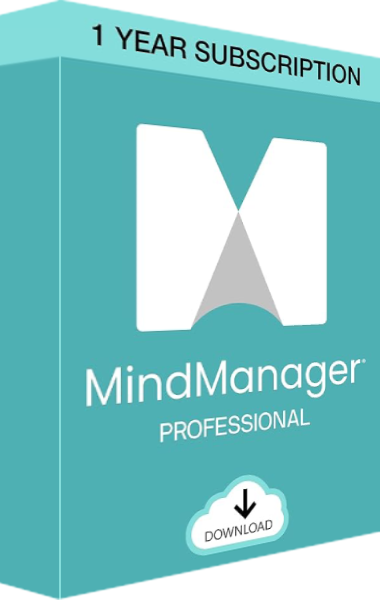
If you need desktop applications or co-editing, explore MindManager Professional before choosing your edition. Those capabilities are outside the Essentials plan.
Buying MindManager Essentials
Review the offer in the purchase section. Before completing your order, check the selected edition, subscription period, renewal conditions, and cancellation terms in the shop.
Find Your Software is an independent information website. We may receive a commission when you purchase through our links. The linked shop handles checkout and your order.
Compare MindManager editions
Compare browser access, desktop applications, project planning and shared editing before choosing a subscription.
Editorial rating by Find Your Software: 4.8 out of 5
Frequently asked questions about MindManager Essentials
Answers to common questions
What is MindManager Essentials?
MindManager Essentials is a subscription to MindManager Web for individual use. It helps you organize ideas, notes, and plans in visual maps and diagrams.
Is Essentials a desktop application?
Essentials gives you access to the web application. Desktop applications are included in the separate MindManager Professional plan.
Is this an annual subscription or a one-time purchase?
Essentials is offered as an annual subscription. Review the renewal and cancellation conditions shown in the shop before placing your order.
Can I use Essentials to organize tasks?
Yes. Essentials includes basic task management and project planning. Use topics to break down work and priority markers to highlight next steps.
Can several people edit the same map together?
Co-editing is outside the Essentials plan. If simultaneous editing is important to your work, review MindManager Professional.
Who processes my purchase?
The purchase button takes you to the linked shop to complete your order. Find Your Software provides product information and may earn a commission from that purchase.