Product comparison
WinZip Malware Protector vs HitmanPro
WinZip Malware Protector offers scan modes, schedules, quarantine controls and protection shields. HitmanPro is a second-opinion scanner for investigating malware alongside an existing protection setup. Compare how you want to run a check, inspect its findings and follow the cleanup result.
Compare scanning and protection
| Task | WinZip Malware Protector | HitmanPro |
|---|---|---|
| Main role | Scanning, detection management and monitored-activity alerts | Additional malware scanning and removal |
| Running a check | Installed application with quick, deep and custom scans | A run-without-installation workflow is documented |
| Analysis approach | Threat-definition updates and selectable scan areas | Behavior-based file analysis and threat information from multiple security labs |
| Reviewing findings | Detection names and paths, quarantine and Ignore List | Inspect detections and remediation actions, including affected system resources |
| Recorded routine | Scheduled scans and XML scan-log export | Second-opinion investigation and review of the cleanup result |
| Monitoring scope | Configurable real-time shields in the registered product | HitmanPro is separate from the broader HitmanPro.Alert product |
Which workflow fits?
Choose WinZip for an installed scanning routine
WinZip Malware Protector combines recurring scans with item-management and log controls. Check the schedule, definition updater and enabled shields as separate settings.
Choose HitmanPro for an additional scan and cleanup assessment
HitmanPro is relevant when you want another analysis of potentially affected files and system resources. Its documented run-without-installation workflow can suit an occasional check; review the remediation actions before applying them.
The selected product is HitmanPro, not HitmanPro.Alert. Alert's broader preventive features should not be assigned to the second-opinion scanner. Compare the license and cleanup access for the actual product you intend to use.
Review the protection setup
- Confirm the selected HitmanPro product and active cleanup access.
- Review the scan scope and the source paths of reported items.
- Inspect remediation actions and retain a useful record of the finding.
- Review the result after cleanup and check the ongoing protection configuration.
Scan controls and feature lists describe available workflows, not a measured detection ranking. Review uncertain findings before permanent deletion or exclusion, and use completed scan results alongside the status of ongoing protection.
Compared products
Review the selected catalog products and the active edition or component needed for your task.
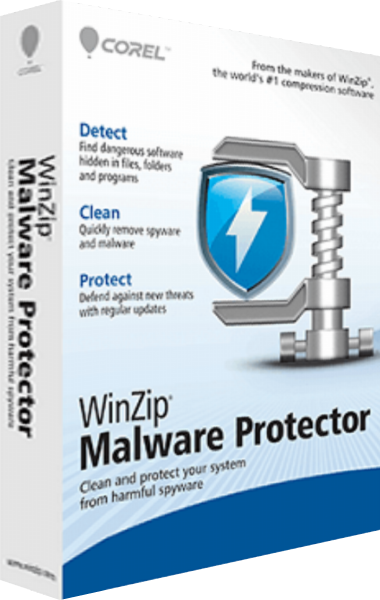
WinZip Malware Protector
Scan for malware, review detections and manage cleanup with scheduled scans, definition updates, quarantine and logs.

HitmanPro
Scan for malware with a second-opinion tool that complements your existing protection.
Explore more
- WinZip Malware Protector vs Auslogics Anti-Malware
- WinZip Malware Protector vs Malwarebytes Premium
- WinZip Malware Protector vs IObit Malware Fighter Pro
- WinZip Malware Protector vs iolo Malware Killer
- WinZip Malware Protector vs iolo System Shield
- Antivirus software overview
- Internet security software overview