

Back up DVDs to a disc, ISO image or DVD folder
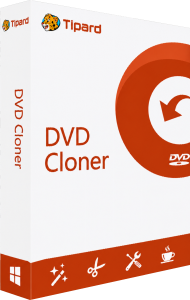
Tipard DVD Cloner copies DVD content between physical discs, ISO images and DVD folders. Save a disc as an image for storage, keep its VIDEO_TS folder structure, or write a copy to another DVD.
Give each backup a recognizable name and keep it separate from your working files. Before putting the original away, open the saved copy in a compatible player and check the beginning, middle and end of the recording.
Choose the full disc, main movie or selected content
Full Copy retains the complete DVD structure, including menus and additional titles. Main Movie focuses on the feature, while Customize lets you choose titles, chapters, audio tracks and subtitles.
Use a full copy when the menu and extras matter. For a disc containing several episodes or family recordings, preview the titles before accepting an automatic main-movie selection: the longest title may not be the only one you want.
Match DVD-5 or DVD-9 capacity to your backup
The program supports DVD-5 and DVD-9 targets and can compress a dual-layer DVD-9 to fit a single-layer DVD-5. A full copy without compression preserves the original video streams; reducing the content to a smaller capacity can affect picture quality.
Decide whether retaining extras or avoiding compression matters more for the project. Review detailed scenes and fast movement after a compressed copy, rather than judging the result from a static menu screen.
Write saved images and folders back to DVD
Load an existing ISO image or DVD folder as the source and select a blank DVD as the target. You can set the writing speed and request multiple copies, replacing the blank discs as prompted.
Check one finished disc in the player you intend to use before making the remaining copies. Keep the source image until you have verified the results, and label the discs so different revisions do not get mixed together.
Preview the selection and control menu playback
The built-in preview helps identify the content before copying. Choose the audio and subtitle languages you want to retain, then review the target size. Menu options allow you to skip or remove the menu for direct main-movie playback.
Check language choices on a scene with speech and subtitles. If preserving the original navigation is important, keep the menu and test its title and chapter links in the completed copy.
Choose DVD copying or video conversion
For MP4 or MKV files instead of a DVD structure, explore Tipard DVD Ripper. For Blu-ray sources as well as DVD and local video conversion, see Tipard Blu-ray Converter.
For data discs, audio compilations and broader disc projects, see Ashampoo Burning Studio. Browse the Tipard software catalog for other media tools.
Explore the video editing software overview for related disc-preparation and editing tools, and choose between a DVD-structure backup and a movie-file export for your next project.
Compare Tipard DVD Cloner
Compare DVD copying, disc images, content selection and the tools needed for your finished project.
Compare Tipard DVD Software Toolkit
Compare DVD conversion, authoring, copying and the additional media tools included in each workflow.